30 System Customization and Tools
Viewing System Activity
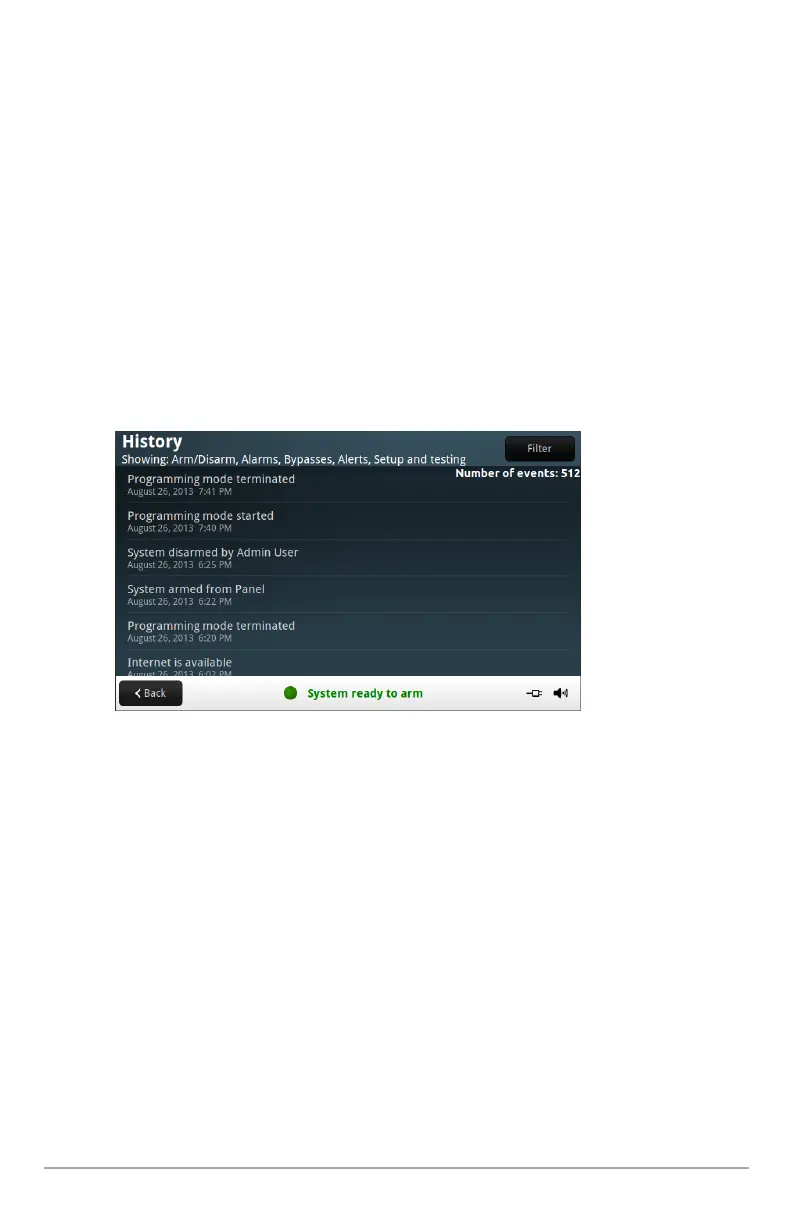
Thecontrolpanelkeepsalogofsystemeventsintheorderinwhichtheyoccur.Eacheventis
markedwiththedateandtimethattheeventoccurred.
Tomakereadingthelogeasier,thesystemhistorydisplaycanbefilteredtoshowselectedevents
only.
To view the system activity history
1. AttheHomescreen,pressSecurity.
2. PresstheHistorybutton.
3. Whenthelogofsystemeventsappears,swipethescreentoscrollthroughthelog.
4. Tochoosetheeventstodisplay,pressFilter.
5. Specifythetypesofeventstodisplaybyselectingthecheckboxes.SelectSecurityto
selectallthecheckboxes.
6. PressFilterwhenfinished.


 To Next Page