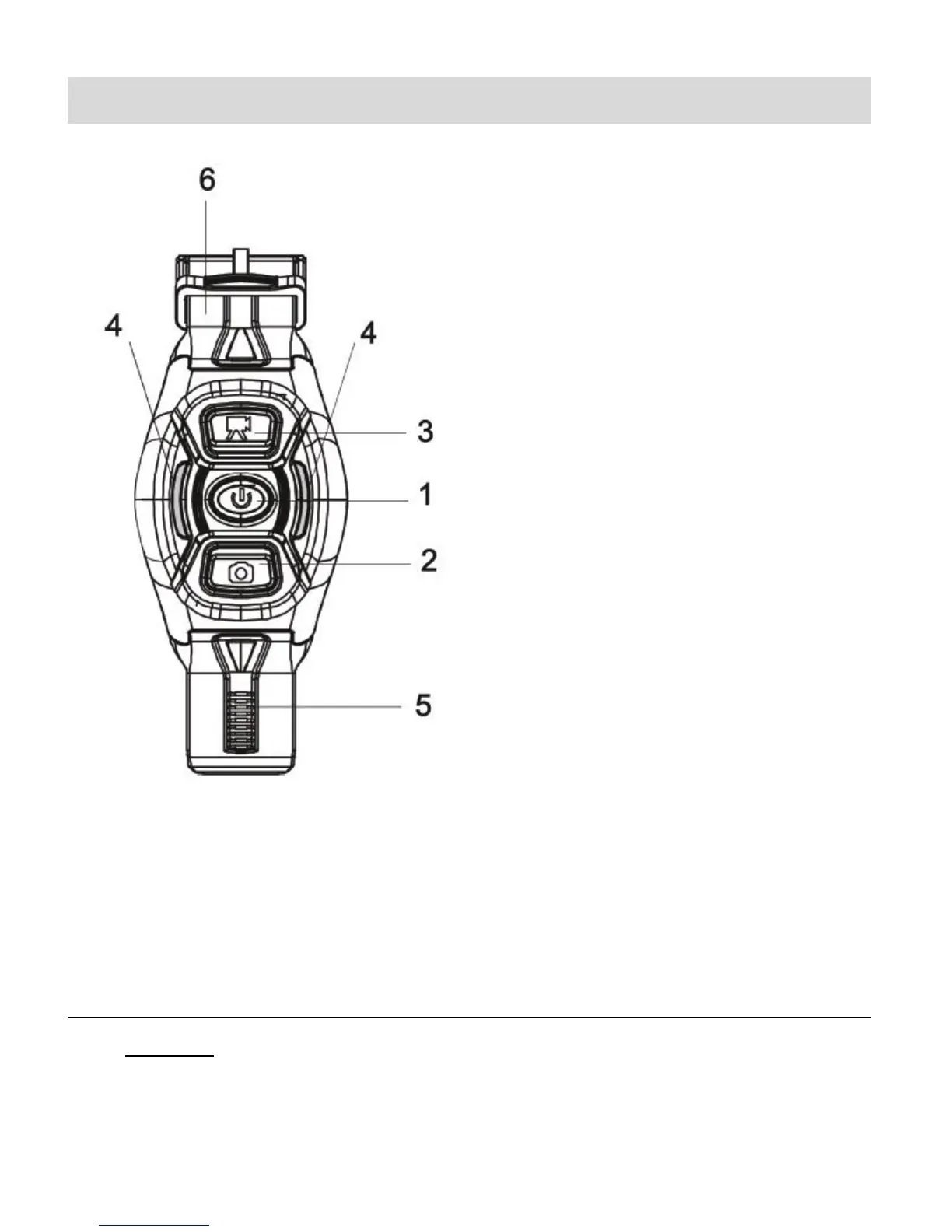
Wireless Remote Control
The wireless remote control allows you to power on/off the camcorder, take photos and record
videos at 30m away without operating the camcorder directly, just by the press of a button.
NOTE: When pressing any button the two indicator lamps on both sides light in red
simultaneously.
USING THE ACTION CAMCORDER VIA THE REMOTE CONTROL
1. Power On:
Press and hold the Power button until the indicator light goes off. The camcorder will
power on and the buzzer will beep once.
4. Button Indicator (Red)


 To Next Page