2. Video Capture: Once the camcorder is on, press the Video button to start recording. To
stop recording, press the Video button again. The video will be saved to the camcorder’s
memory card automatically.
3. Photo Capture: To take phots by remote control, press the Photo button. The photo will be
saved to the camcorder’s memory card automatically.
4. Power Off: To turn off the camera, press the Power button again. The buzzer will beep
once.
CHANGING THE BATTERY OF THE REMOTE CONTROL
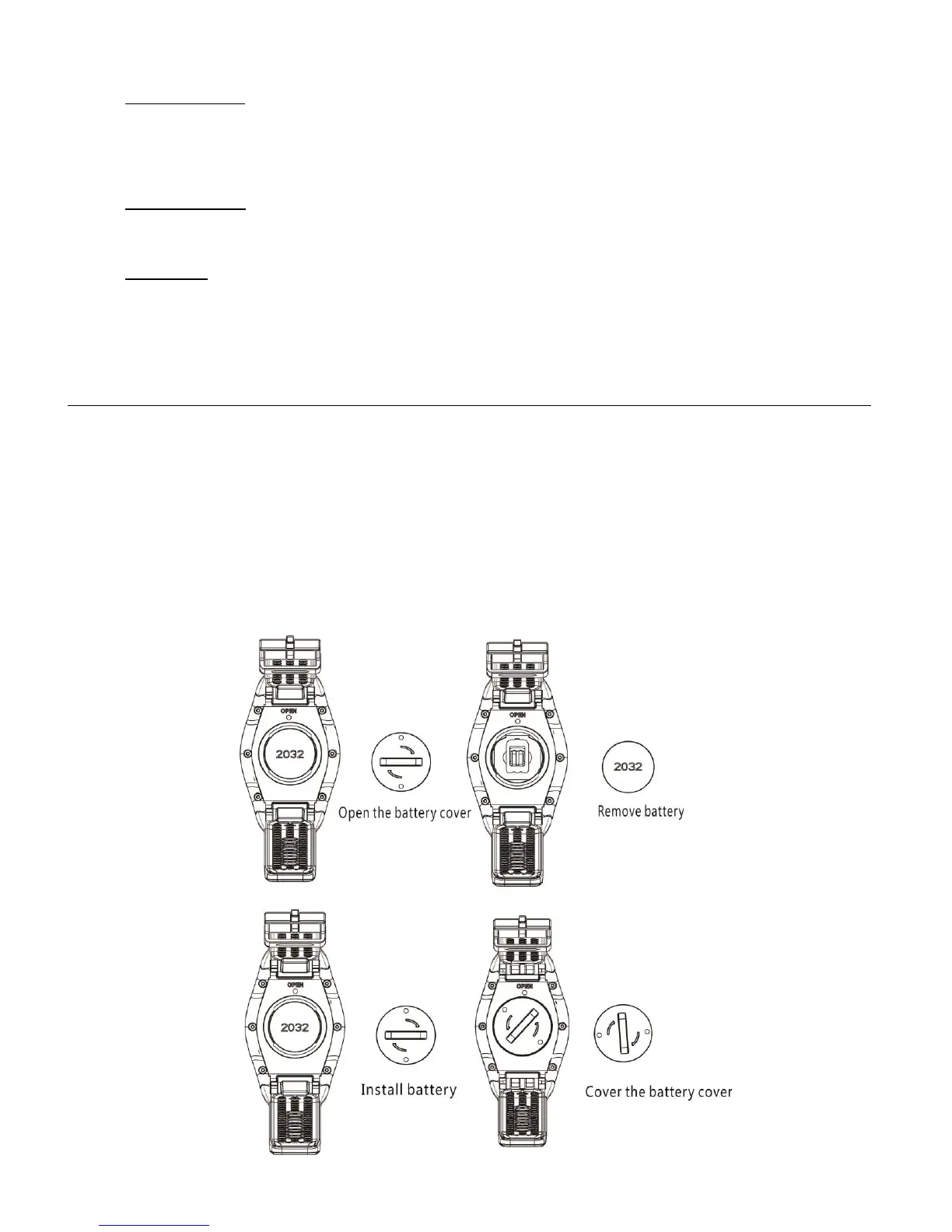
When the battery level is low, you will need to change the battery. Open the batter cover carefully
with a coin and avoid scratching the surface.
1. To change the battery, put a coin in the slot at the center of the battery cover and unscrew
the cover according to the directions marked on it.
2. Replace the old battery with the new one. Pay attention to the +/- signs.
3. Place the battery cover back on the new battery and screw the cover closed.


 To Next Page