7
English
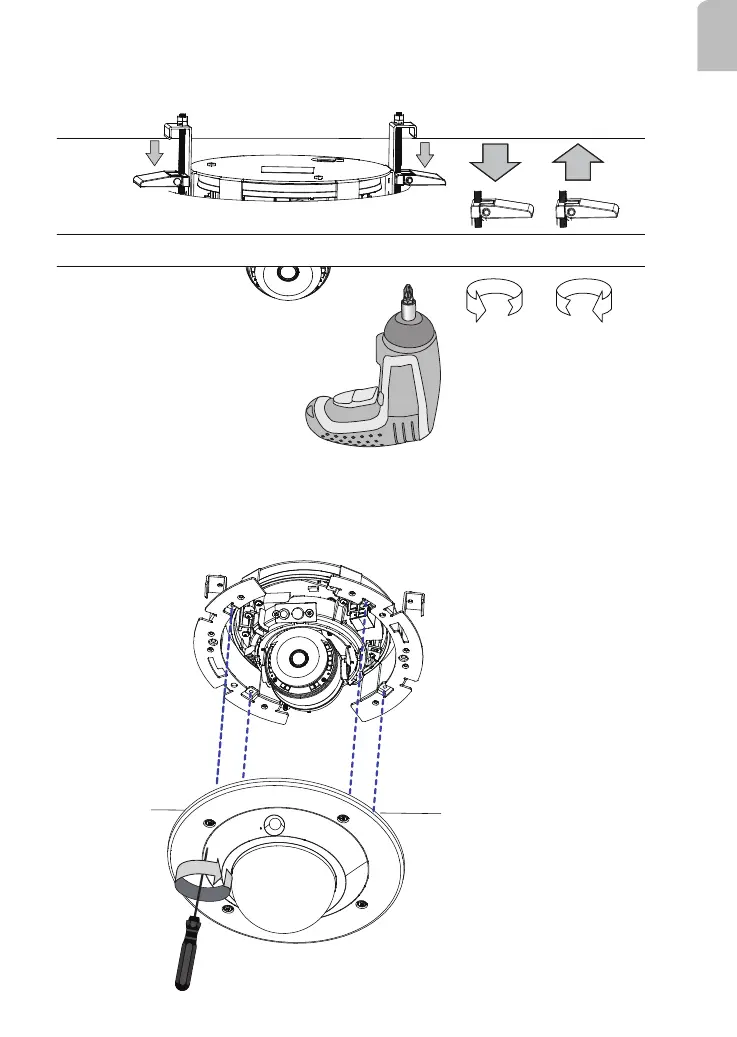
9. Use a #2 Phillips screwdriver to move the clamping plates down so that the ceiling/
board is caught between the clamps and the ange on the other side of the ceiling.
Clockwise Counter-
clockwise
10. Adjust the shooting angle and check for a satisfactory image over a web session.
When you have a satisifactory live view, tighten the tilt screw, and secure the dome
cover from below the ceiling using the T10 stardriver.














 To Next Page