VIVOTEK
48 - User's Manual
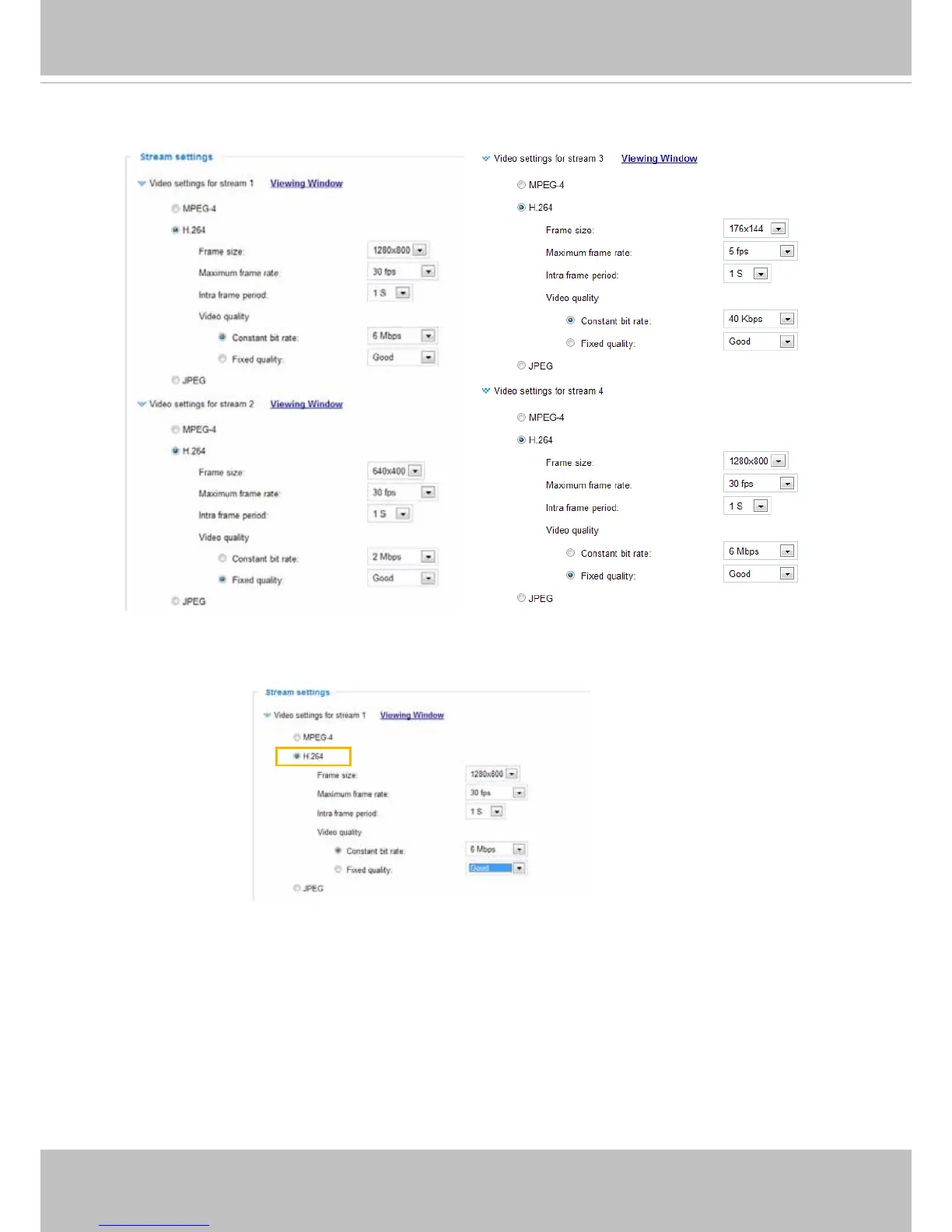
Click the stream item to display the detailed information. The maximum frame size will follow your
settings in the above Viewing Window sections.
This Network Camera offers real-time H.264, MPEG-4, and MJPEG compression standards (Triple
Codec) for real-time viewing. If H.264 / MPEG-4 mode is selected, the video is streamed via the
RTSP protocol. There are several parameters for you to adjust the video performance:
■ Frame size
You can set up different video resolution for different viewing devices. For example, set a smaller
frame size and lower bit rate for remote viewing on mobile phones and a larger video size and
a higher bit rate for live viewing on web browsers. Note that a larger frame size takes up more
bandwidth.
■ Maximum frame rate
This limits the maximum refresh frame rate per second. Set the frame rate higher for smoother
video quality and for recognizing moving objects in the eld of view.
If the power line frequency is set to 50Hz, the frame rates are selectable at 1fps, 2fps, 3fps, 5fps,
8fps, 10fps, 15fps, 20fps, 25fps, and 30fps. If the power line frequency is set to 60Hz, the frame
rates are selectable at 1fps, 2fps, 3fps, 5fps, 8fps, 10fps, 15fps, 20fps, 25fps, and 30fps. You can
also select Customize and manually enter a value.



 To Next Page