VIVOTEK
72 - User's Manual
NOTE
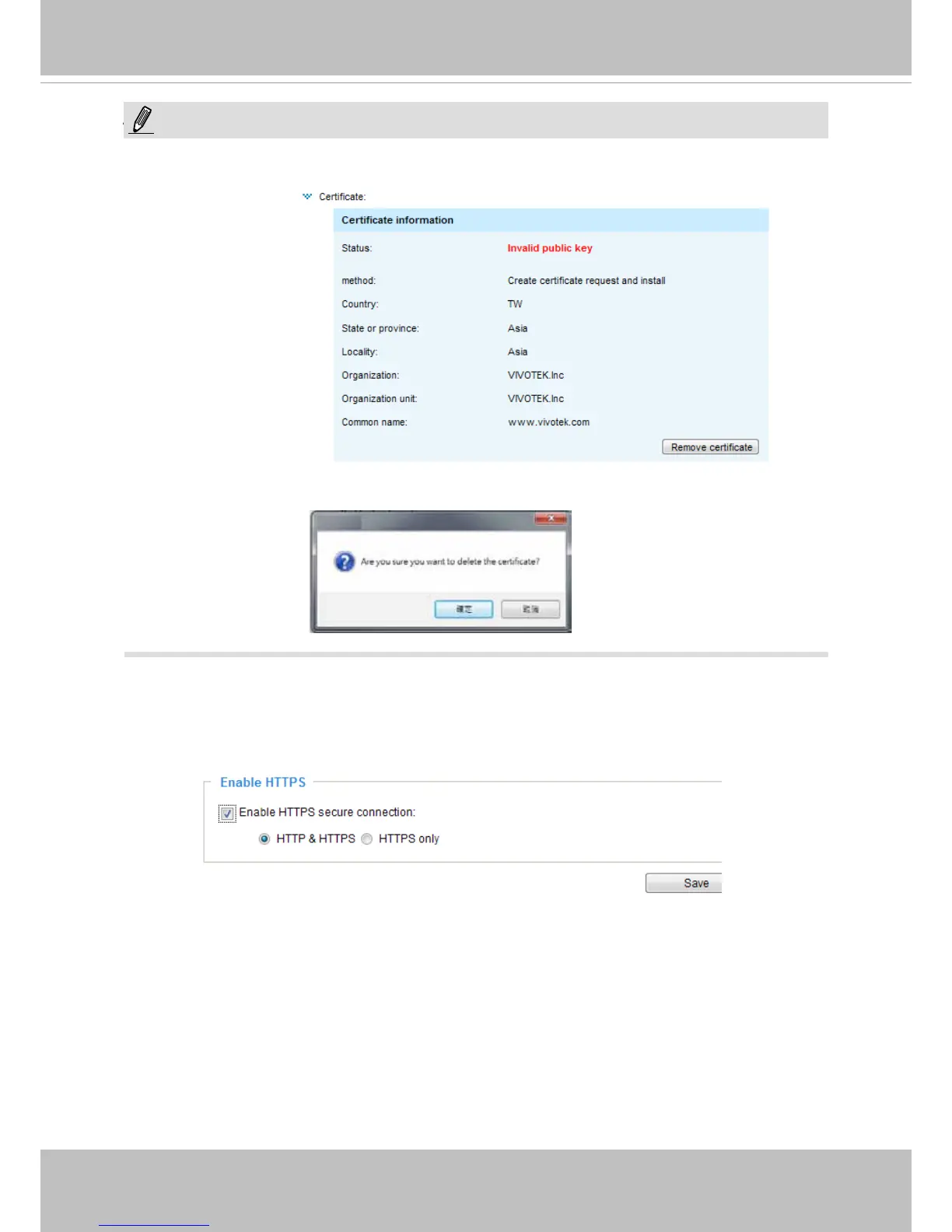
► How do I cancel the HTTPS settings?
1. Click on the Remove certicate button.
2. If you are currently running a secure connection The webpage will redirect to a non-HTTPS
page automatically.
Enable HTTPS
Check this item to enable HTTPS communication, then select a connection option: "HTTP &
HTTPS" or "HTTPS only". Note that you have to create and install a certicate rst before clicking
the Save button.
NOTE:



 To Next Page