VIVOTEK
User's Manual - 27
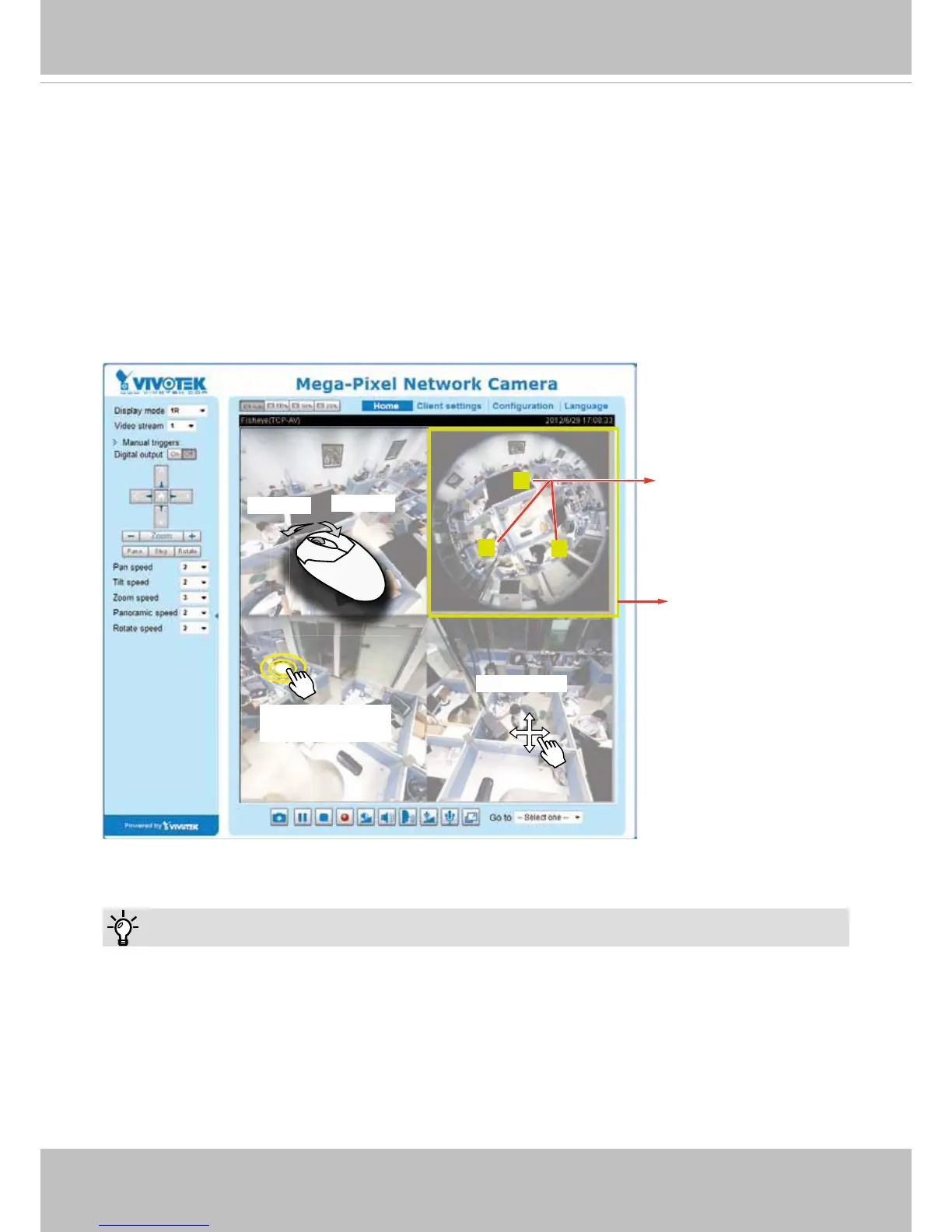
1O3R (One Original & Three Regional) Display mode:
The 1O3R mode provides access to multiple live view sections within the hemisphere and the reference
to their relative positions on an Original oval view. The FOV indicators (#1 ~ #3) interact with your current
operation as you may zoom in/out or move the live view sections elsewhere.
You can zoom in or out or travel to other areas within the hemisphere using identical methods as
previously described in the 1R mode.
You can also change the locations of Regional views by dragging the FOV indicators on the "Original"
round-shape oval view.
1O3R (Original & Regional) Mode Screen Control
Current screen selection
Zoom In
Zoom Out
1
2
3
Interactive
regional FOV indicators
Click to bring into
center of view
Pan or tilt
Tips:
In a Regional view displaying 100% of video feed (via the Resize buttons - see page 30), your
mouse wheel can be used to scroll the view window vertically before you click on a live image.
After you click on the live image, the mouse wheel becomes the zoom in/out tool.



 To Next Page