VIVOTEK
User's Manual - 63
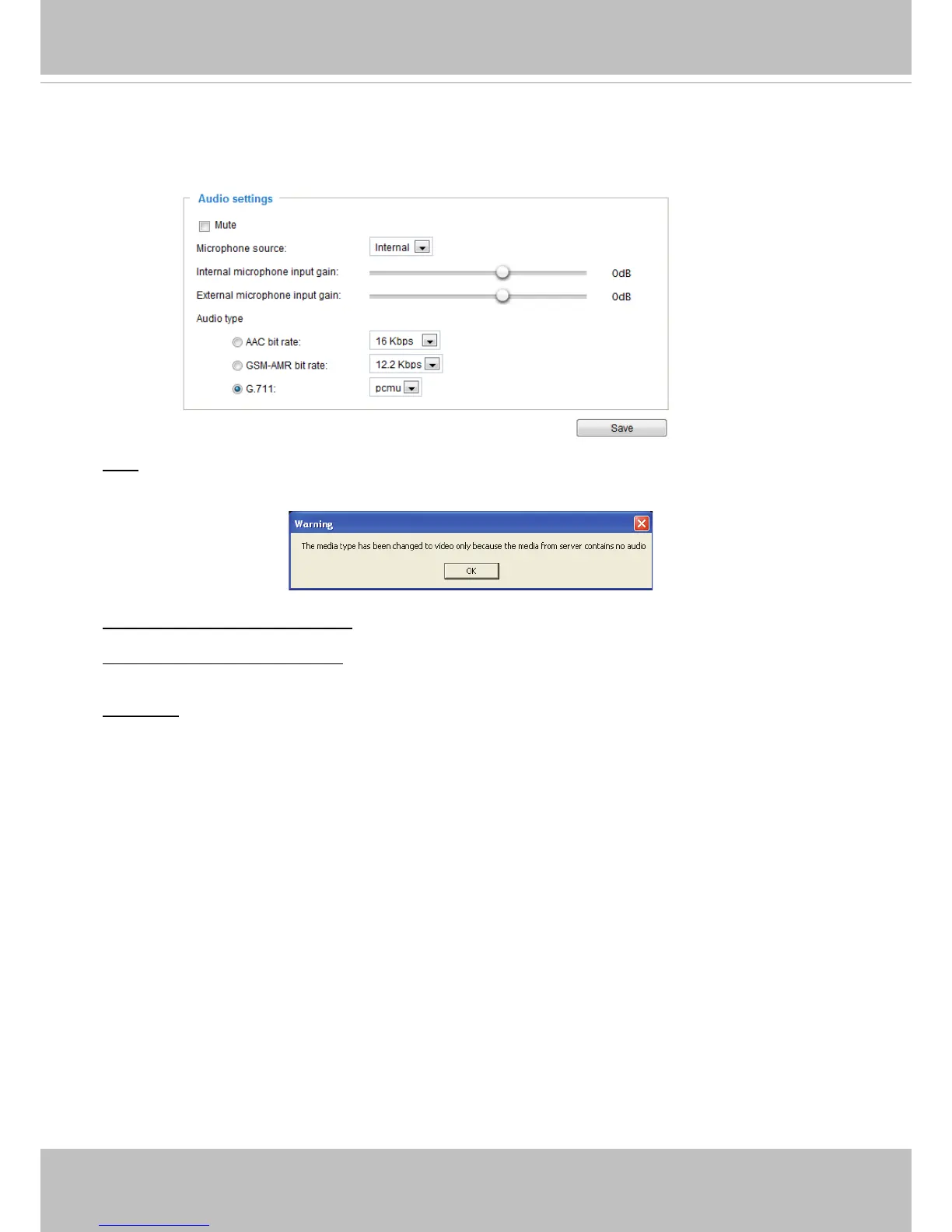
Media > Audio
Audio Settings
Mute: Select this option to disable audio transmission from the Network Camera to all clients. Note that
if mute mode is turned on, no audio data will be transmitted even if audio transmission is enabled on the
Client Settings page. In that case, the following message is displayed:
Internal microphone input gain: Select the gain of the internal audio input according to ambient
conditions. Adjust the gain from -33dB (least) to 21dB (most).
External microphone input gain: Select the gain of the external audio input according to ambient
conditions. Adjust the gain from -33dB (least) to 21dB (most).
Audio type: Select audio codec AAC, GSM-AMR, or G.711 and the bit rate.
■ AAC provides good sound quality at the cost of higher bandwidth consumption. The bit rates are
selectable from: 16Kbps, 32Kbps, 48Kbps, 64Kbps, 96Kbps, and 128Kbps.
■ GSM-ARM is designed to optimize speech quality and requires less bandwidth. The bit rates are
selectable from: 4.75Kbps, 5.15Kbps, 5.90Kbps, 6.7Kbps, 7.4Kbps, 7.95Kbps, 10.2Kbps, and
12.2Kbps.
■ G.711 also provides good sound quality and requires about 64Kbps. Select pcmu (μ-Law) or pcma
(A-Law) mode.
When completed with the settings on this page, click Save to enable the settings.



 To Next Page