VIVOTEK
18 - User's Manual
Hardware Installation - FE8181
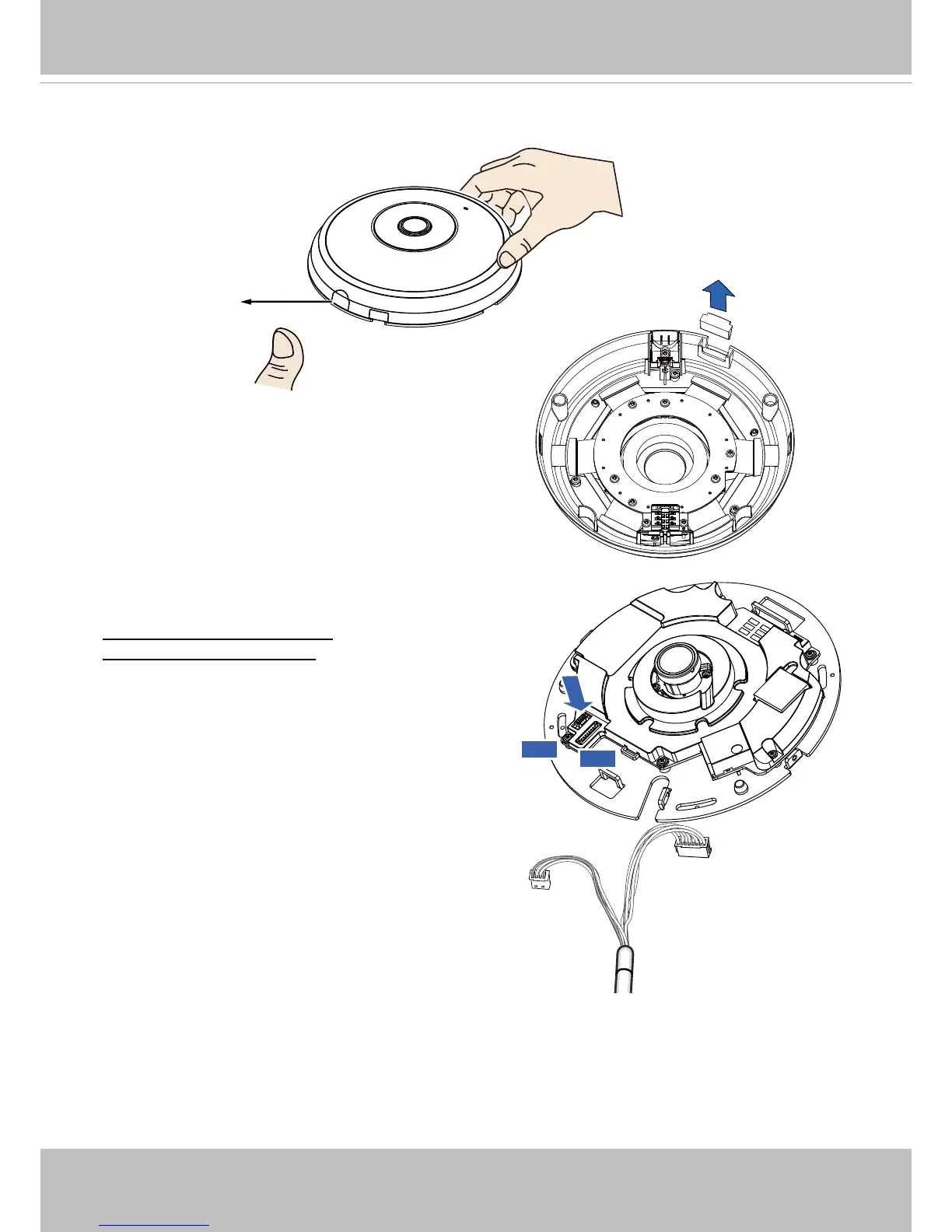
Release button
If you plan to route cables from the side of camera,
remove the rubber slide cover from the dome cover.
Slide cover
Connect the supplied power & IO cables if your
switch does not support PoE. Connect the white
header connectors to J6 and J7 on the camera.
Connecting Ethernet Cable
& the Power and IO Cable
J6
J7
Power & IO Cable



 To Next Page