- 25 -
www.vivotek.com
Security settings
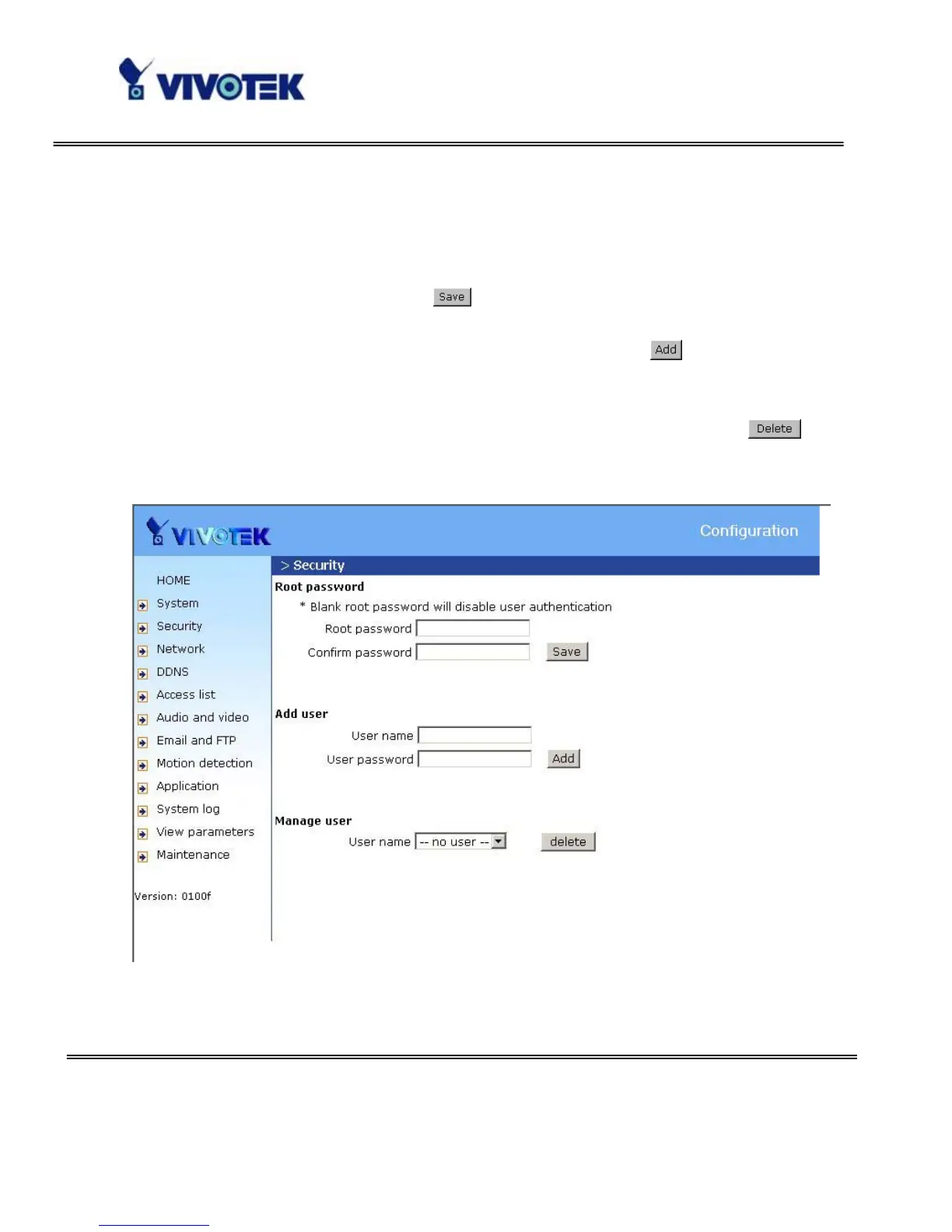
“Root password” Change the Administrator’s password by typing in the new
password identically in both text boxes. The typed entries will be displayed as asterisks
for security purposes. After pressing
, the web browser will ask the Administrator
for the new password for access.
“Add user” Type the new user's name and password and press
to insert the new
entry. The new user will be displayed in the user name list. There is a maximum of
twenty user accounts.
“Manager user” Pull down the user list to find the user’s name and press
to
complete.
<url> http://<Network Camera>/setup/security.html
<Network Camera> is the domain name or original IP address of the Network Camera.



 To Next Page