- 44 -
www.vivotek.com
Restoring the factory defaults
will erase any previous settings.
Reset or restore the system after
power on.
Appendix
A. Troubleshooting
Status LED
The following table lists the LED patterns in general.
Condition LED color
Loading system after power on Steady blue
During booting procedure Steady blue and red
Detecting and setting network Steady blue and blink red till IP address is
confirmed
After network is setup (system up) Blink blue every second and steady red
During the upgrade firmware process Blink blue every second and fast blink red
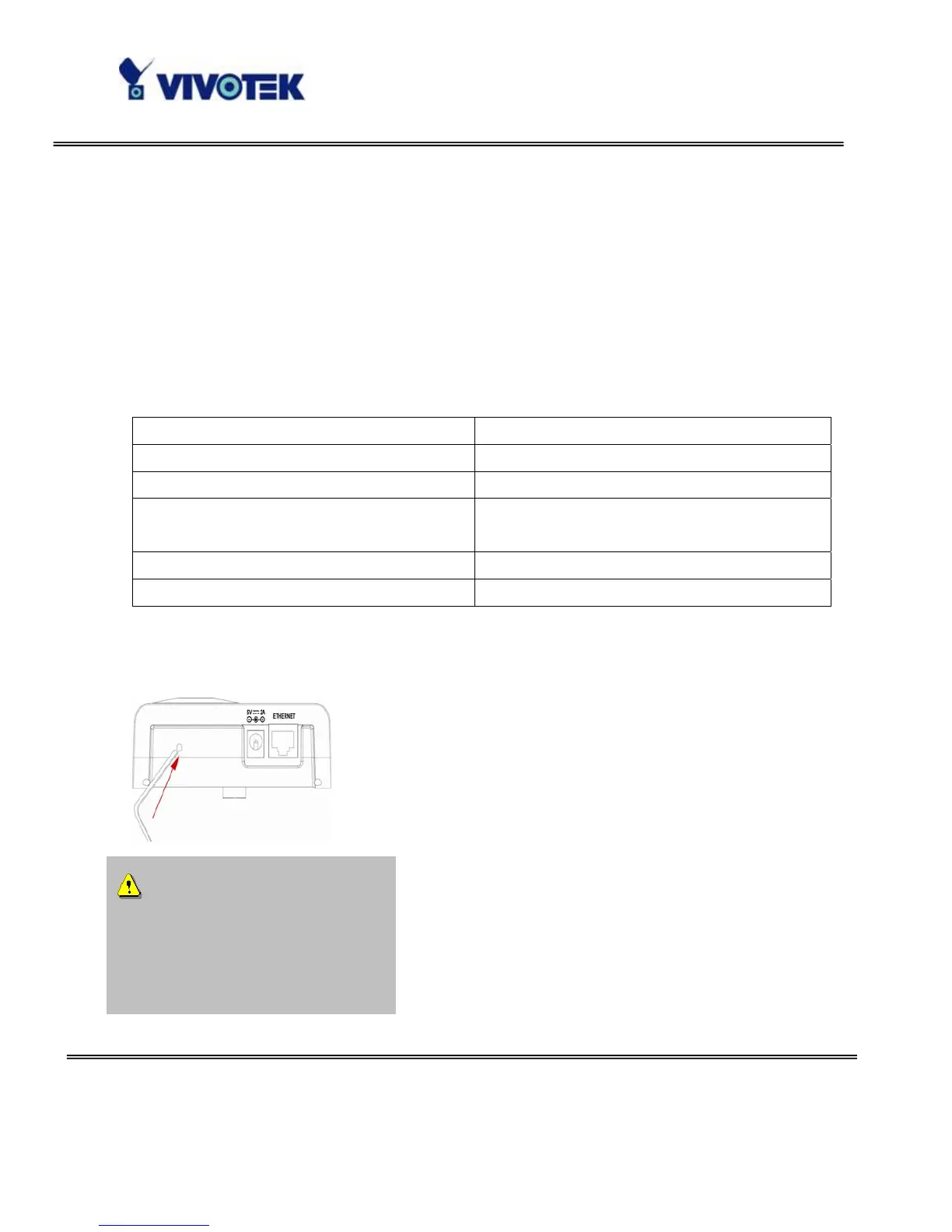
Reset and restore
There is a button in the back of the Network Camera. It is
used to reset the system or restore the factory default
settings. Sometimes resetting the system sets the system
back to normal state. If the system problems remain after
reset, restore the factory settings and install again.
RESET: Click on the button.
RESTORE: 1. Press on the button continuously.
2. Wait for self-diagnostic to run twice.
3. Free the button as soon as the second
self-diagnostic starts.



 To Next Page