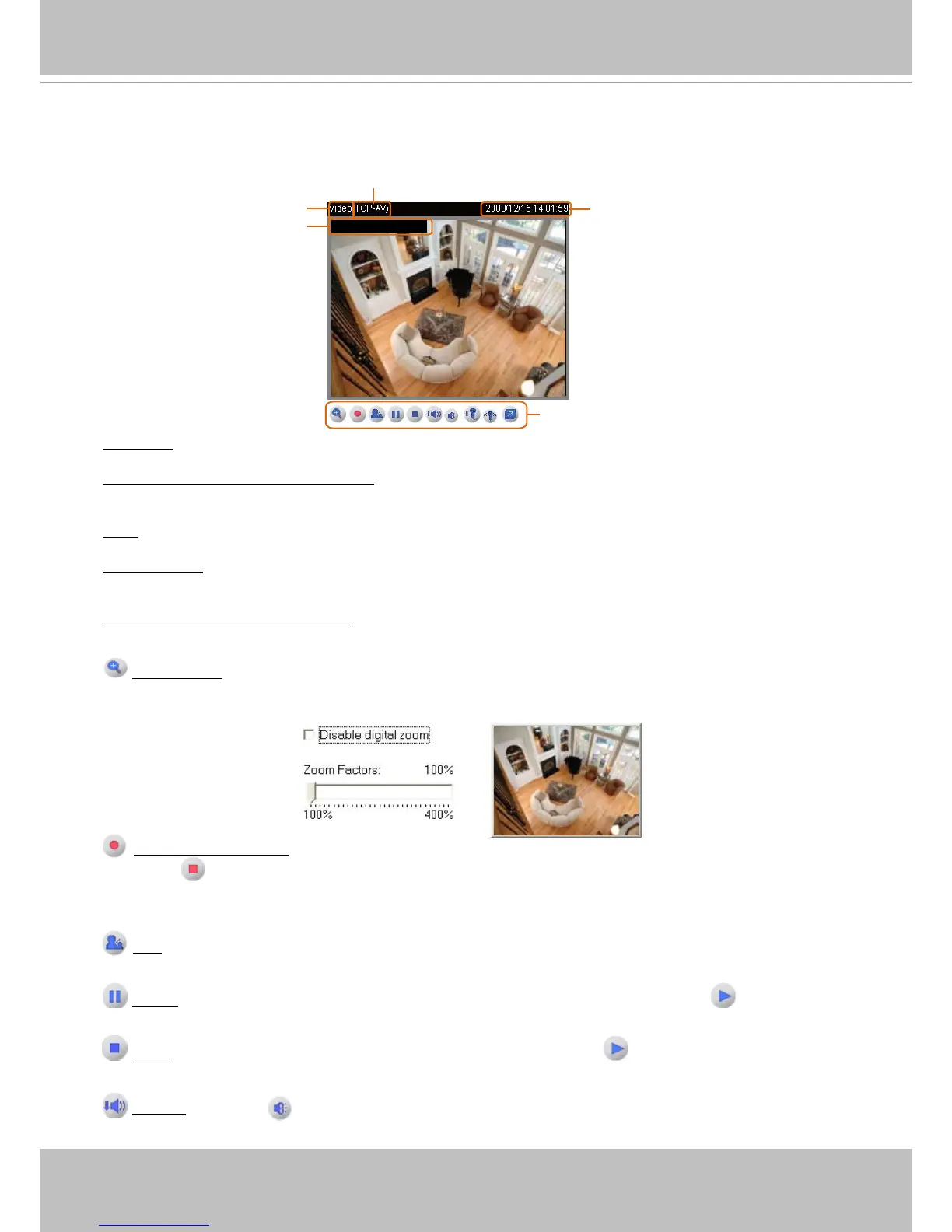
Live Video Window
■ The following window is displayed when the video mode is set to MPEG-4:
Video Title: The video title can be congured. For more information, please refer to Video Settings on page 48�
MPEG-4 Protocol and Media Options: The transmission protocol and media options for MPEG-4 video
streaming. For further conguration, please refer to Client Settings on page 19�
Time: Display the current time. For further conguration, please refer to Video Settings on page 48�
Title and Time: The video title and time can be stamped on the streaming video. For further conguration,
please refer to Video Settings on page 48�
Video and Audio Control Buttons: Depending on the Network Camera model and Network Camera
conguration, some buttons may not be available.
Digital Zoom: Click and uncheck “Disable digital zoom” to enable the zoom operation. The navigation
screen indicates the part of the image being magnied. To control the zoom level, drag the slider bar. To
move to a different area you want to magnify, drag the navigation screen�
Start MP4 Recording: Click this button to record video clips in MP4 file format to your computer�
Press the
Stop MP4 recording button to end recording� When you exit the web browser, video
recording stops accordingly. To specify the storage destination and the le name, please refer to MP4
Saving Options on page 20 for details�
Talk: Click this button to talk to people around the Network Camera� Audio will come out from the
external speaker connected to the Network Camera� Click this button again to stop talk�
Pause: Pause the transmission of the streaming media� The button becomes the Resume button
after clicking the Pause button�
Stop: Stop the transmission of streaming media� Click the Resume button to continue
transmission�
Volume: When the Mute function is not activated, move the slider bar to adjust the volume on the
local computer�



 To Next Page