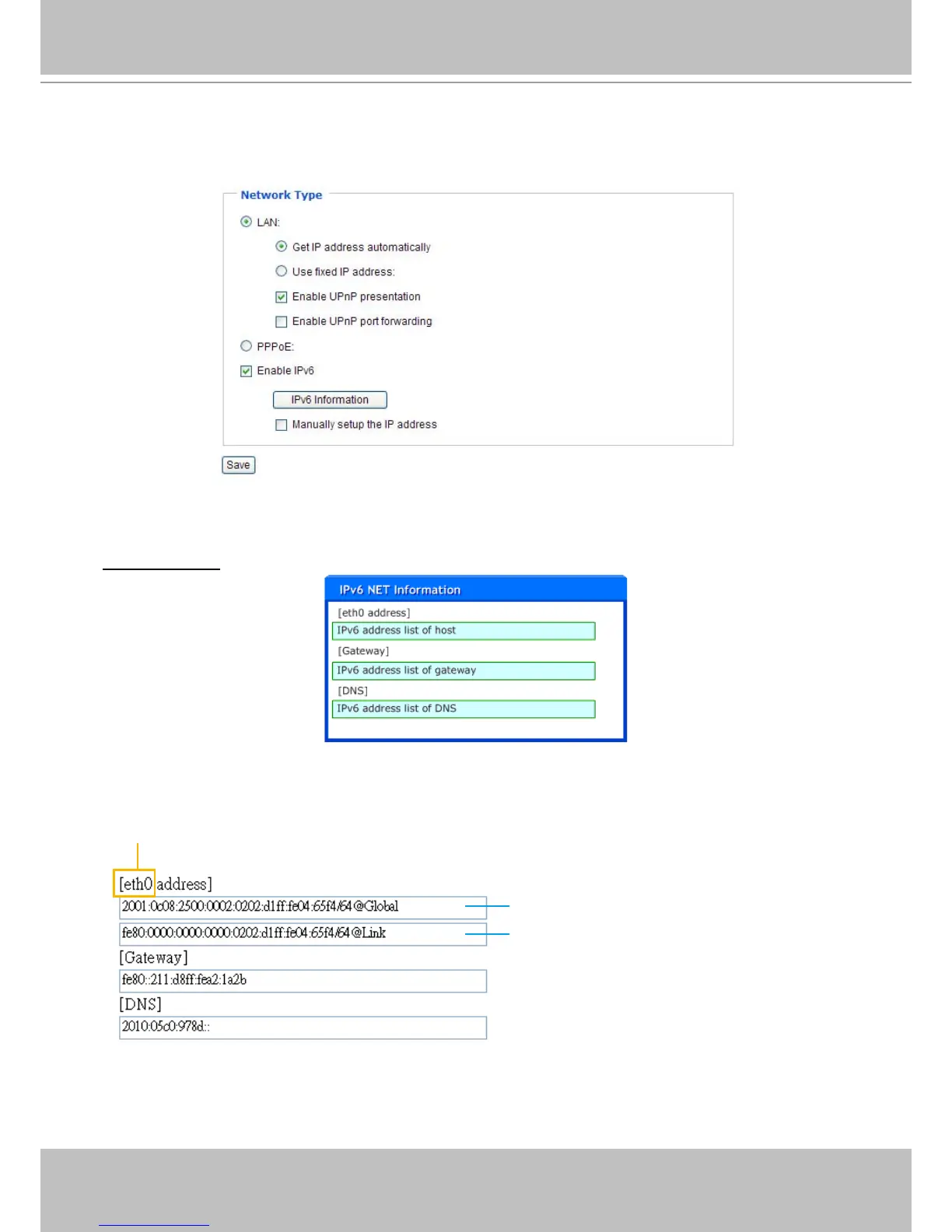
Enable IPv6
Select this option then click Save to enable IPv6 settings�
Please note that this only works if your network environment and hardware equipment support IPv6� The
browser should be Microsoft
®
Internet Explorer 6.5, Mozilla Firefox 3.0 or above.
When IPv6 is enabled, by default, the network camera will listen to router advertisements and be
assigned with a link-local IPv6 address accordingly�
IPv6 Information: Click this button to get the IPv6 information as shown below�
If your IPv6 settings are successful, the IPv6 address list will be listed in the pop-up window� The IPv6
address will be displayed as follows:
For example:
Link-global IPv6 address/network mask
Link-local IPv6 address/network mask
refer to Ethernet



 To Next Page