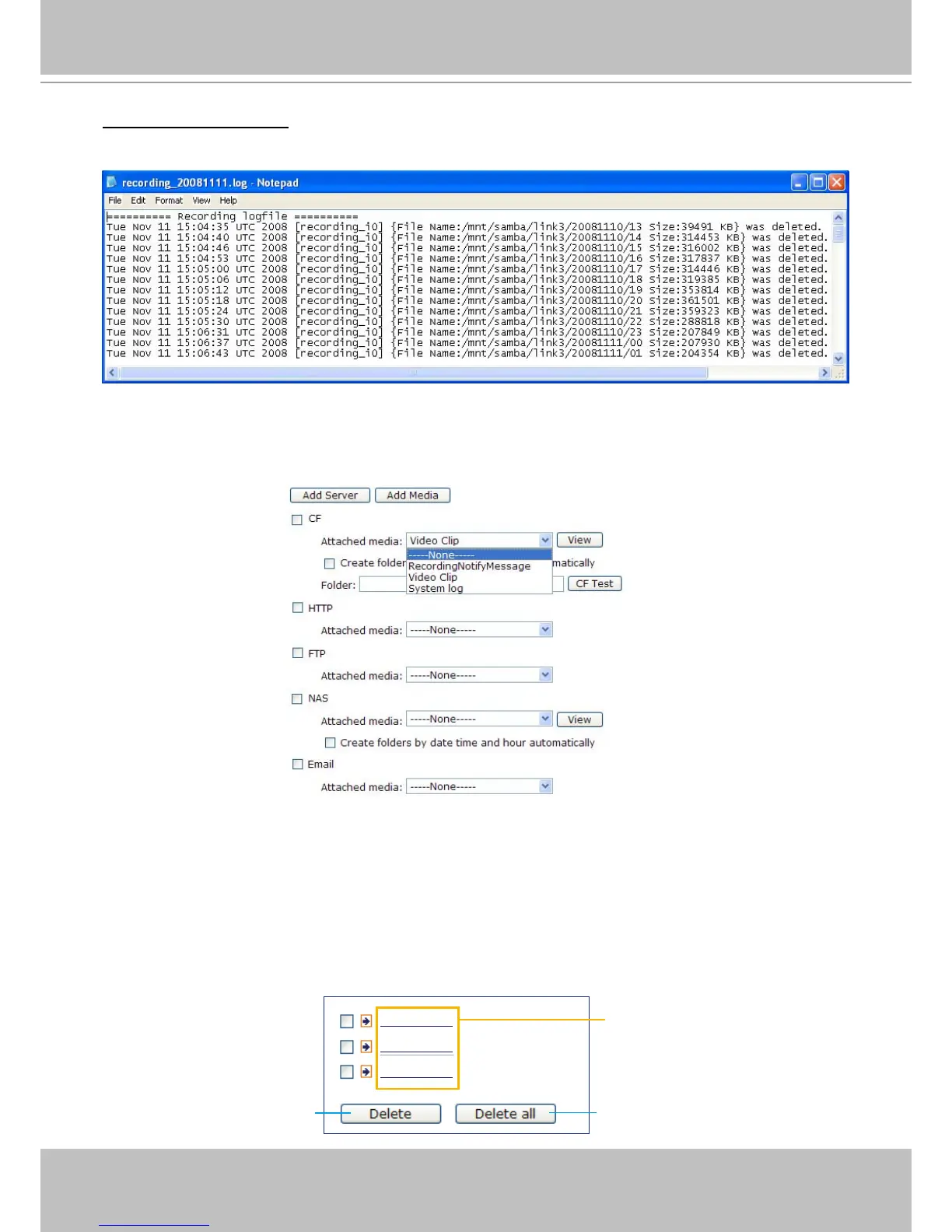
Recording notify message: Select to send a recording notication message when a trigger is activated.
The following is an example of a recording notication message (.txt le), which shows a list of deleted
previously-recorded data due to cycle recording�
When completed, click Save to enable the settings then click Close to exit this page� The new media
settings will appear on the Event Settings page�
You can continue to select a server and media type for the event� Please go back to page 66 for detailed
information�
■ CF Test: Click to test your CF card� The system will display a message indicating success or failure� If
you want to use your CF card for local storage, please format it before use� Please refer to page 80 for
detailed information�
■ Create folders by date time and hour automatically: If you check this item, the system will generate
folders automatically by date�
■ Folder: You can assign a preset folder on CF card for local storage.
■ View: Click this button to open a le list window. This function is only for CF card and Network Storage.
Following is an example of le destination with video clips:
Click to delete some items
Click to delete all recorded data
The format is: YYYYMMDD
Click to open the directory



 To Next Page