VIVOTEK
142 - User's Manual
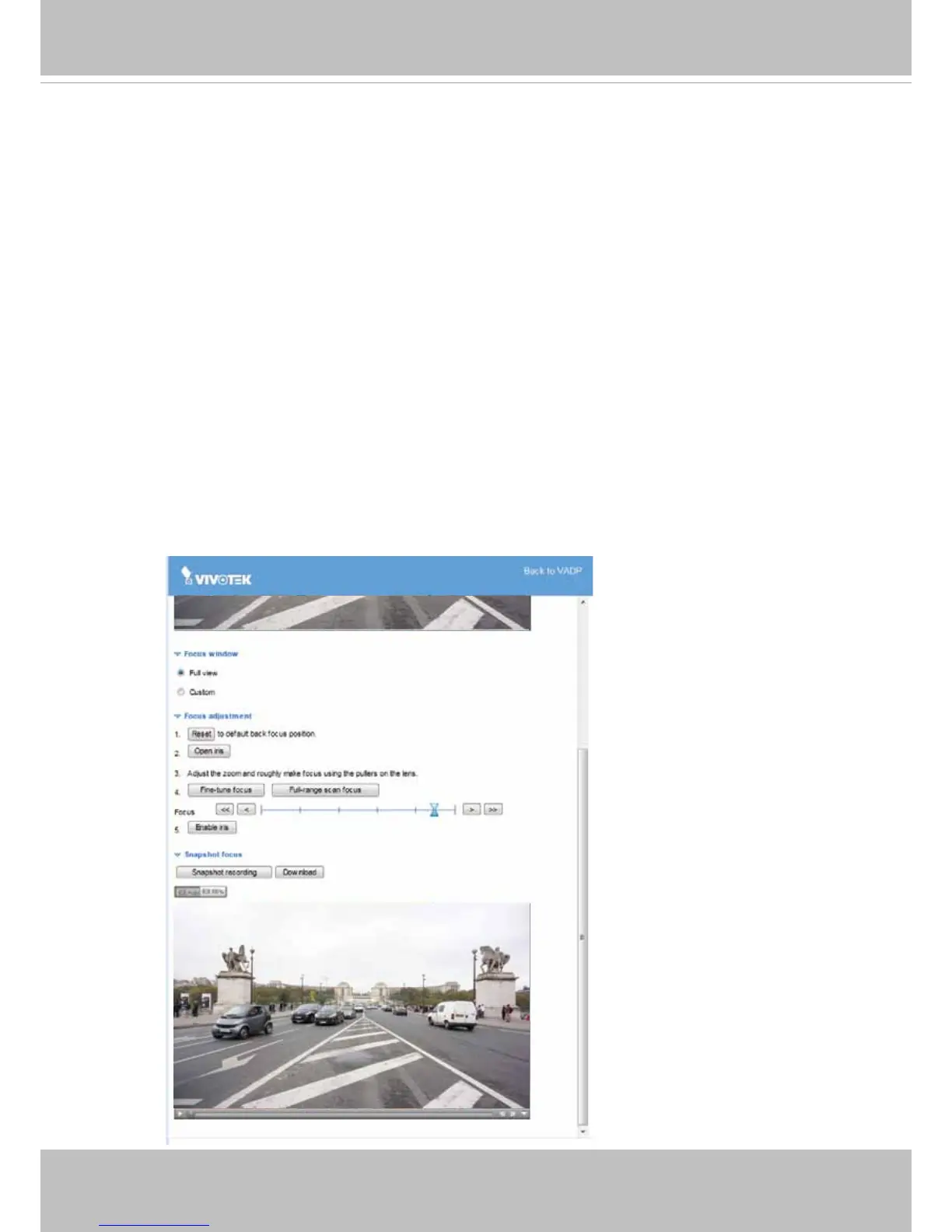
Snapshot Focus
Snapshot Focus comes as a standard VADP package. This feature helps find the best
focus when a camera is aiming at an area where no referential or substantial objects
exist, e.g., a highway with ows of high speed vehicles. It is often difcult to nd the best
focus when the eld of view is set to cover a section of highway while the real target is the
vehicle.
Limitations:
1. This package should be enabled or separately downloaded from VIVOTEK’s website or
technical support to a camera. You may need to register yourself on VIVOTEK’s website
and activate the package.
2. This feature does not support the MJPEG stream. If a camera’s stream 1 is congured
into MJPEG, a warning message will prompt.
Operation Procedure:
1. Press the Snapshot Recording button, e.g., when a car is passing the field of view.
A short, 2.5 seconds of video recording will be available (including 1 second of pre-
recording and another second of post-recording).



 To Next Page