VIVOTEK
User's Manual - 45
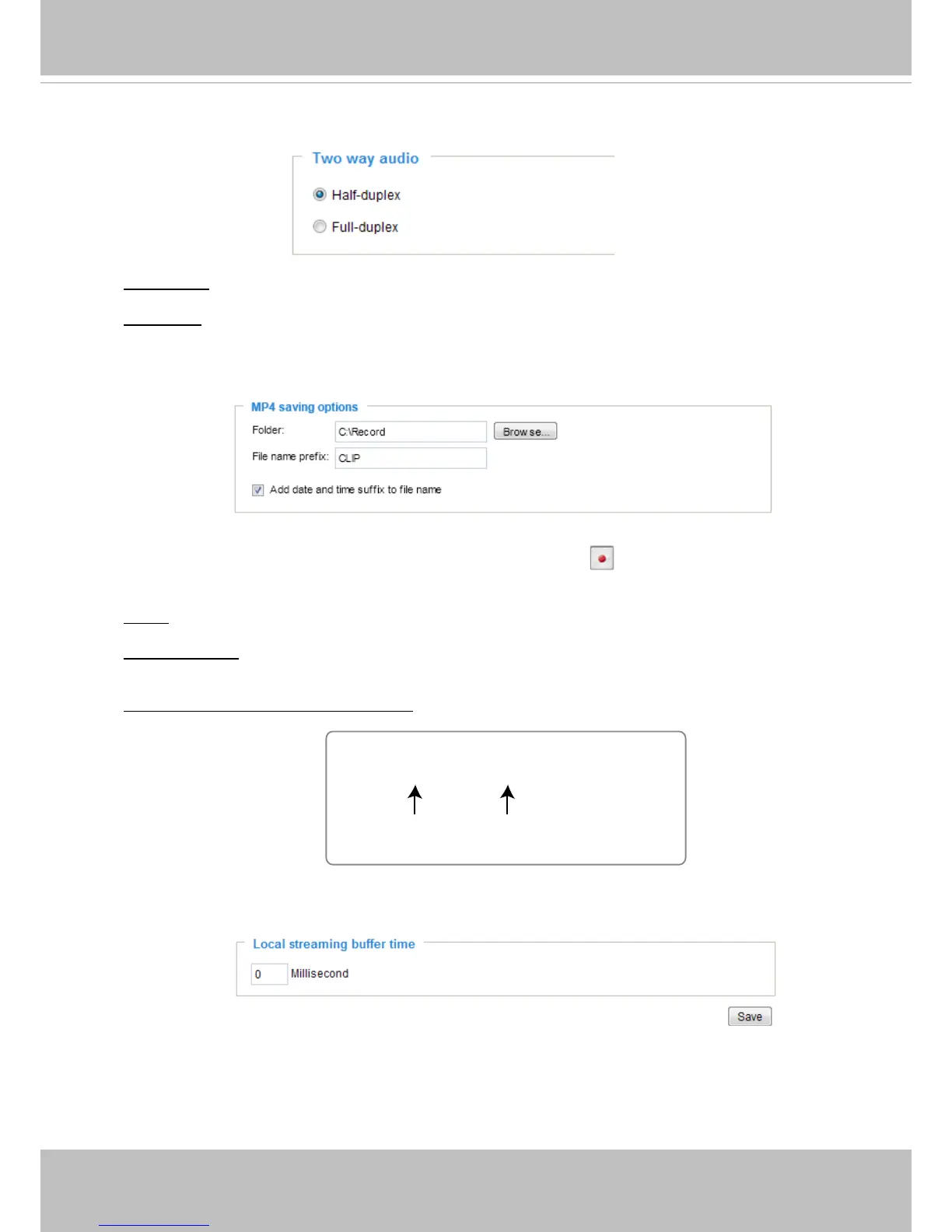
Two way audio
Half duplex: Audio is transmitted from one direction at a time, e.g., from a PC holding a web
console with the camera.
Full duplex: Audio is transmitted in both directions simultaneously.
MP4 Saving Options
Users can record live video as they are watching it by clicking Start MP4 Recording on the
main page. Here, you can specify the storage destination and le name.
Folder: Specify a storage destination for the recorded video les. The location can be changed.
File name prex: Enter the text that will be appended to the front of the video le name. A specied
folder will be automatically created on your local hard disk.
Add date and time sufx to the le name: Select this option to append the date and time to the end
of the le name.
Local Streaming Buffer Time
Due to the possiblity of encountering unsteady bandwidth ow, the live streaming may lag and not
be very smoothly. If you enable this option, the live streaming will be stored on console PC’s cache
memory for a congurable period of time before being played on the live view window. This helps
you see the streaming more smoothly. If you enter 3000 Millisecond, the streaming will delay for 3
seconds.
CLIP_20110628-180853
Date and time suffix
The format is: YYYYMMDD_HHMMSS
File name prefix



 To Next Page