VIVOTEK
User's Manual - 55
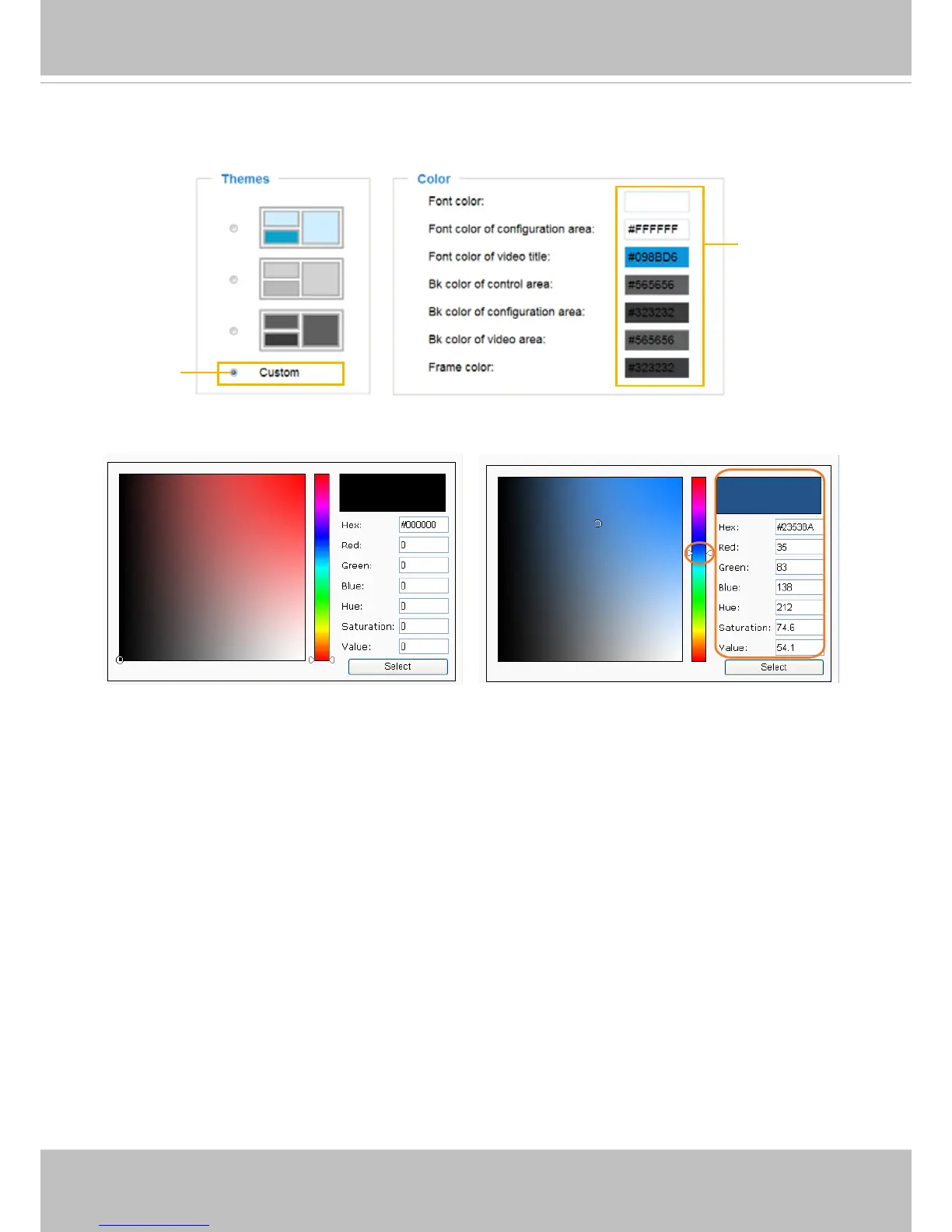
■ Follow the steps below to set up the customed homepage:
1. Click Custom on the left column.
2. Click the eld where you want to change the color on the right column.
3. The palette window will pop up as shown below.
4. Drag the slide bar and click on the left palette to select a desired color.
5. The selected color will be displayed in the corresponding elds and in the Preview column.
6. Click Save to enable the settings.
1
2
3
4
Color Selector
Custom
Pattern



 To Next Page