EN - 6
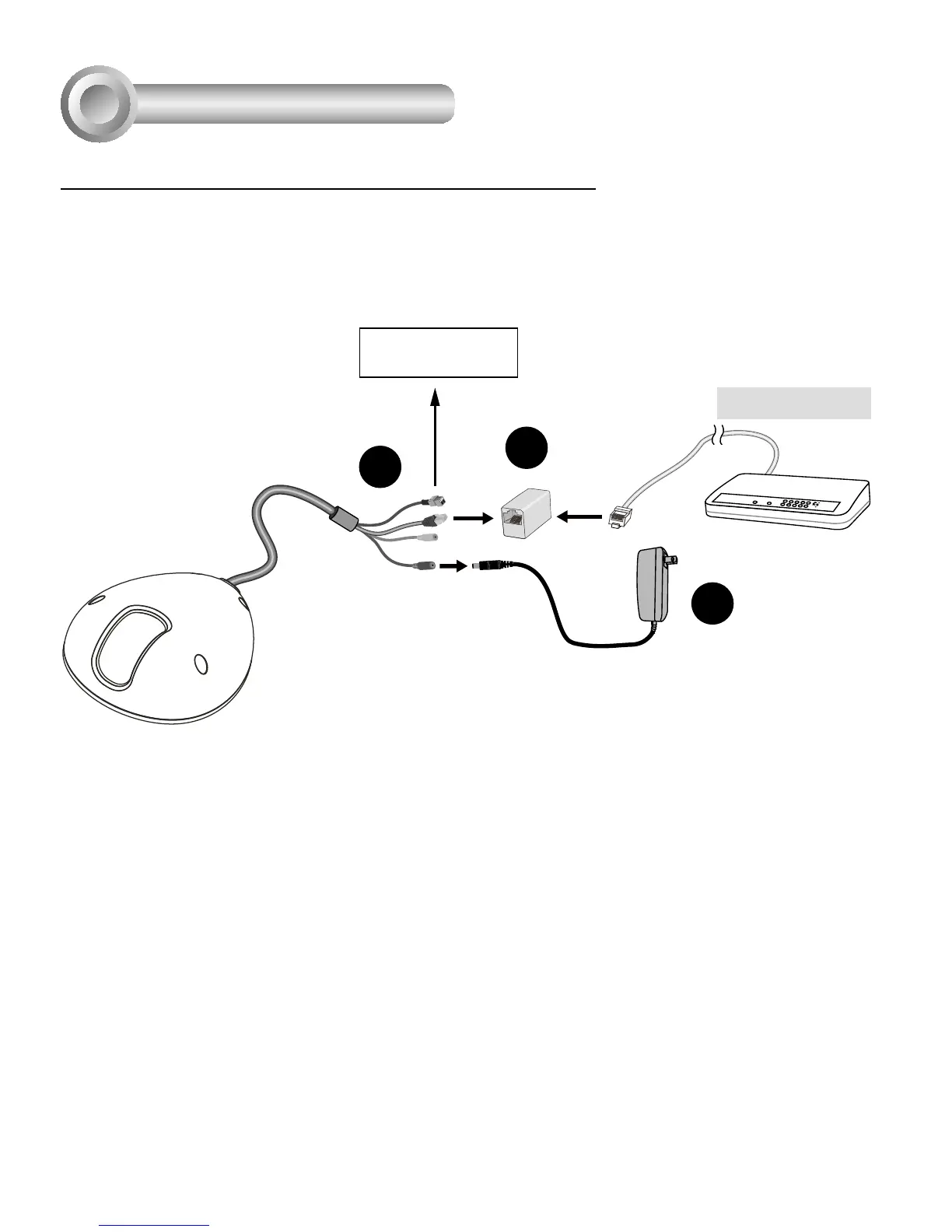
General Connection (without PoE) (MD8562D)
Network Deployment
4
+ : Digital input
- : Digital input
POW
ER
C
O
LL
I
S
ION
L
I
N
K
RE
CEIVE
PARTITIO
N
1
2
3
4
5
2
3
Ethernet Switch
1
1. If you have external DI devices, make the connection from general I/O terminal block.
2. Use the supplied RJ45 female/female coupler to connect the Network Camera to a switch.
Use a Category 5 Cross Cable when Network Camera is directly connected to PC.
3. Connect the power cable from the Network Camera to a power outlet.





 To Next Page