VIVOTEK - Built with Reliability
User's Manual - 15
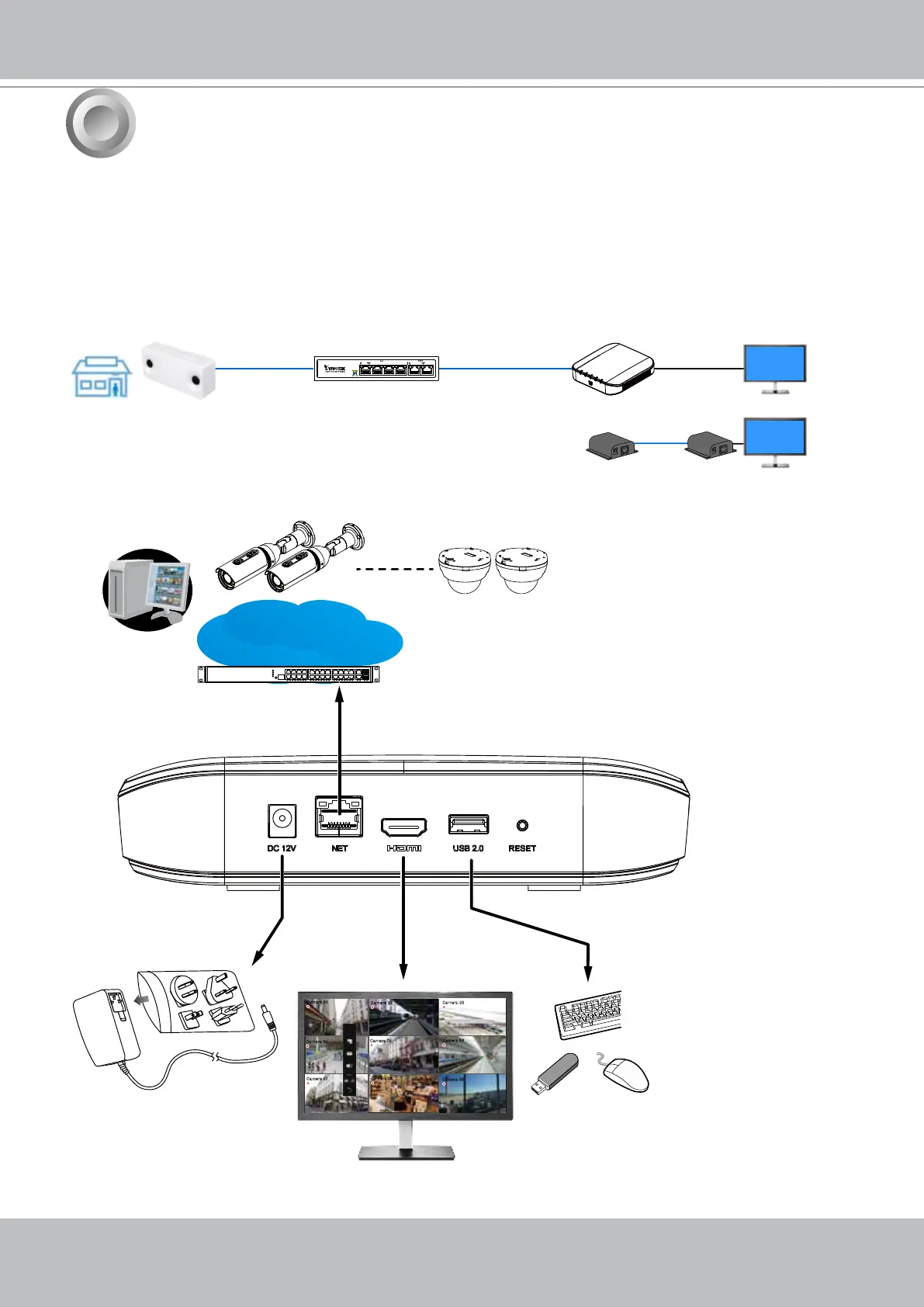
1. Connect to a monitor using an HDMI cable.
2. Connect CAT5e or better-quality Ethernet cable to the network.
3. Connect USB devices such as mouse, keyboard, or USB thumb drive (formatted in FAT for-
mat), or UPS.
4. Connect the power adaptor to the power mains and the system.
3
Camera 01
Camera 02
Camera 03
Camera 04
Camera 06
Camera 05
Camera 07
Camera 08
Camera 09
AC100~240V
50/60Hz, 1.5A
LAN/WAN
USB 2.0
Interface Connections
Pressing the Reset button for longer than 10 seconds will restore the factory detaults.
HDMI
NVR
PoE switch
3D Counting
camera
Ethernet
- OR -
HDMI extenders
Entrance / Exit



 To Next Page