VIVOTEK - Built with Reliability
14 - User's Manual
SATA1
SATA2
J3
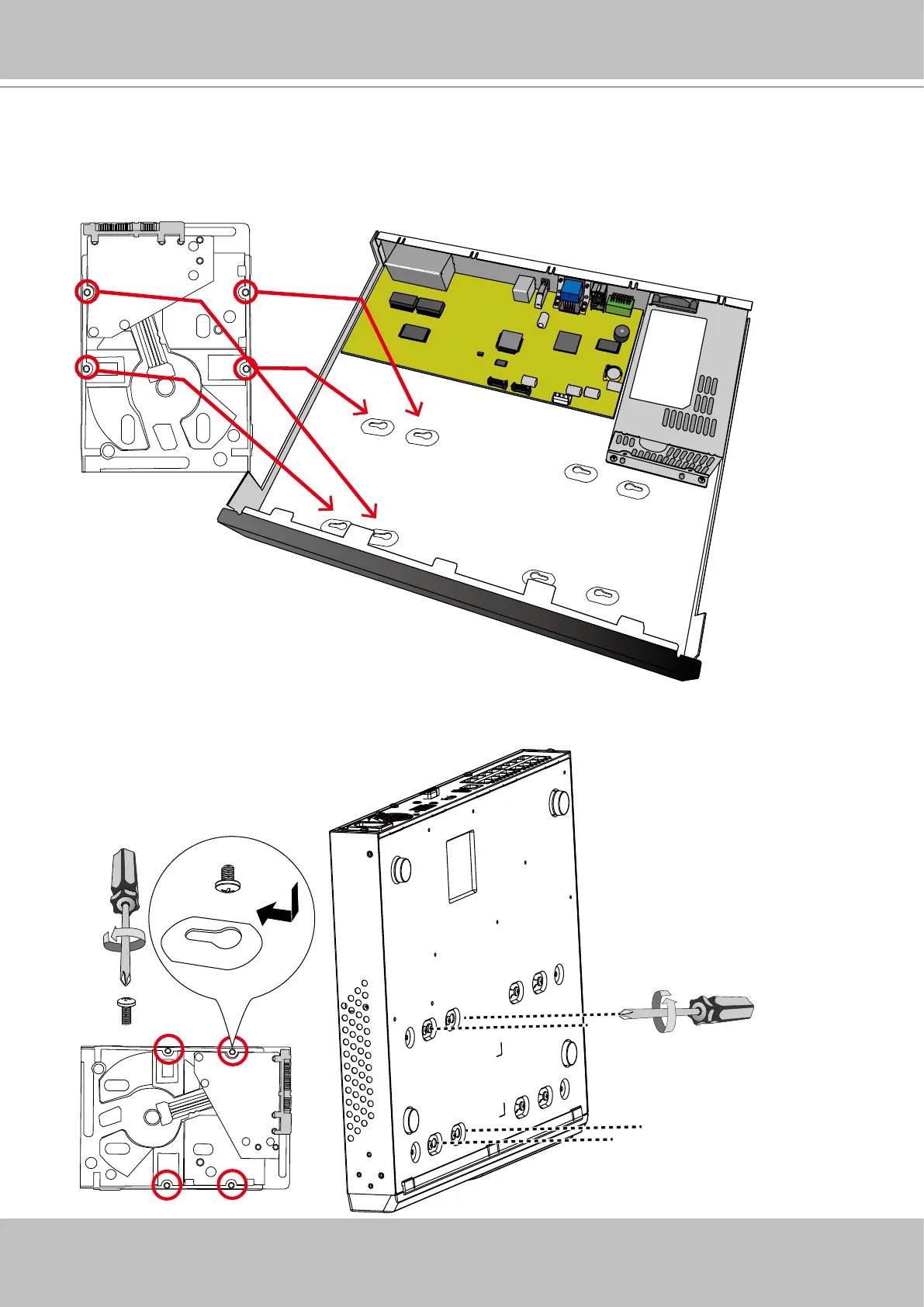
5. Install hard drives to the chassis. Note that the screws pass through the bottom of the chas-
sis and secure the hard drives using the mounting holes at the bottom of hard drives. When
installing hard drives, their label side should be facing up, and the connector side facing the
inside of the chassis.
When securing screws to the hard drives, do not complete-
ly fasten the screws. Fasten the screws half way and insert
the screw heads into the key slot holes. When they are in
place, fasten the screws from the bottom of the chassis.



 To Next Page