VIVOTEK
User's Manual - 11
1
2
3
4
5
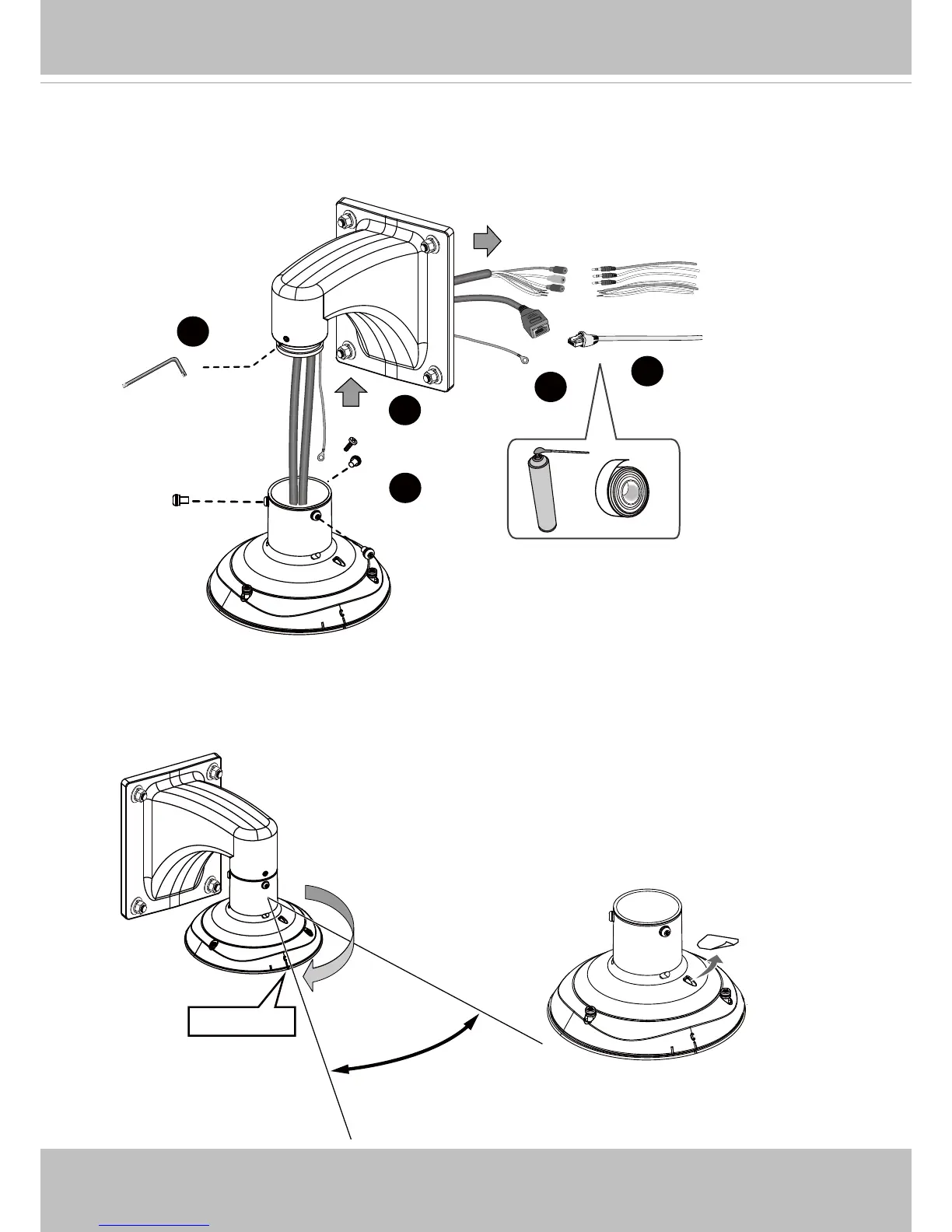
1. Hold your top section with one hand and pass all cables through the wallmount bracket.
Cabling Connections & Attach the Top Section
2. Secure the top section to the wall mount bracket.
Note that you should turn and orient the top section so that the C mark is facing a direction 15
degrees off the center line.
15°
Center line
C Mark
Remove seal from the breathe hole on the top sec-
tion if your camera comes with the dehumidier.














 To Next Page