VIVOTEK
User's Manual - 9
Installation - for the Conguration w/ Ex-
tended Cables
Hardware Installation
HD WDR Pro
IMPORTANT:
If your camera comes without the dehumidier, you
should examine whether the color of the silica gel inside
the chassis has turned dark. If so, you should replace
the desiccant bag.
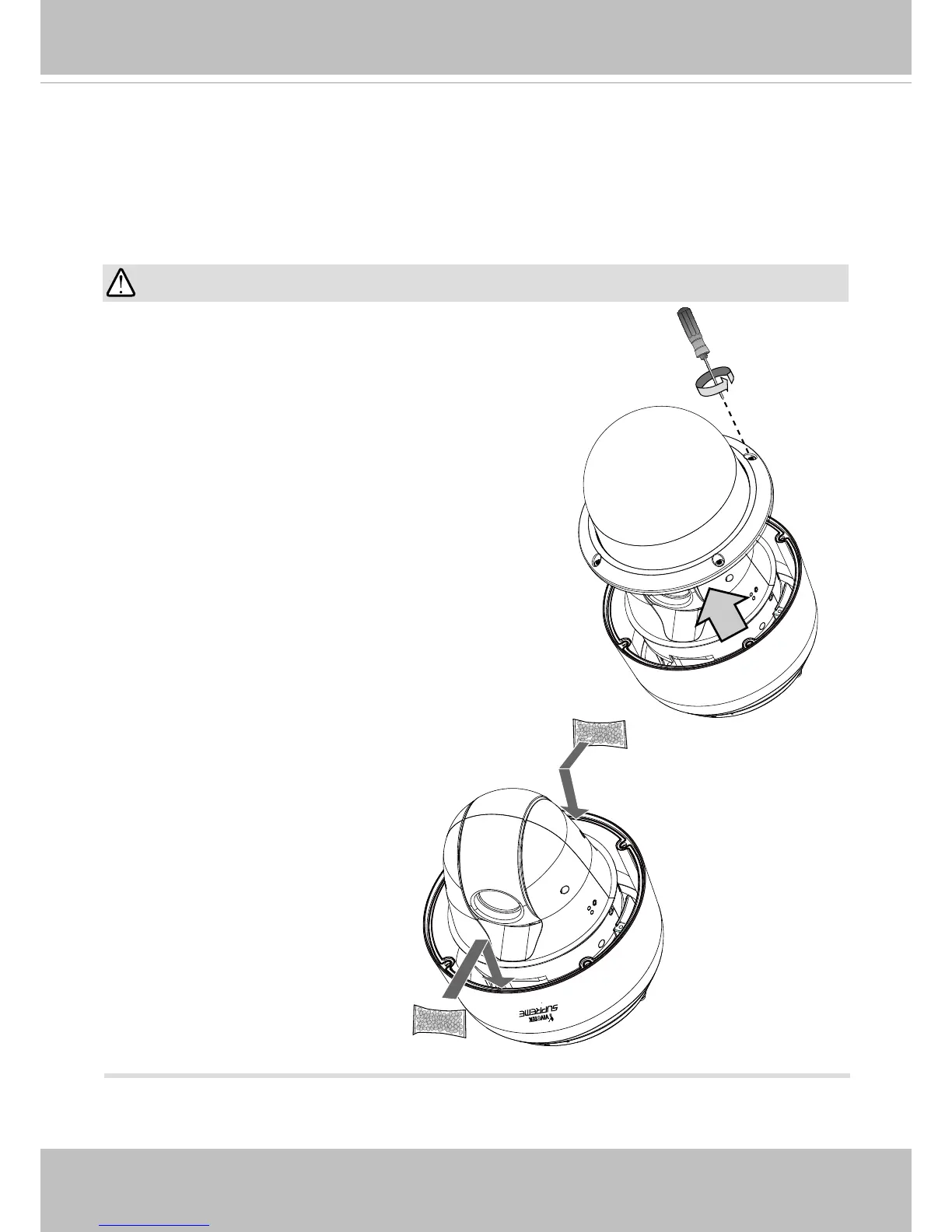
To replace the desiccant bags:
1. Remove the dome cover by loosening 4 T25 anti-
tamper screws.
2. Replace the desiccant bags by attaching them rmly
to the inside of the chassis.
3. Re-install the dome cover.
Also note the following:
1. Do not install the camera in a raining day.
2. It takes approximately 2 days to suppress the
moisture level to 30% or lower, either using the
desiccant bags or the dehumidier.
3. Condensation may still be observed from on the
dome cover within 30 minutes.














 To Next Page