2
5
E190VA / E220VA / E260VA
Input: Change the input device. With each press of the button,
the TV will display a different input.
Input (Specific): Change the input device. Press the button that
corresponds to the input device you wish to view.
Power/Standby: Turn the TV on or off.
Sleep: Activate the sleep timer. With each press of the button, the
sleep timer’s duration will change.
Wide: Change the displayed aspect ratio.
Closed Caption: Activate or deactivate closed captioning. Press repeatedly
to change the caption channel (CC1, CC2, etc).
Exit: Close the on-screen menu.
Arrow : Navigate the on-screen menu and episode guide.
Menu/OK: Display the on-screen menu or select highlighted menu
option.
Volume
Up/Down:
Increase or decrease the loudness of the TV’s audio.
Channel
Up/Down:
Change the channel. With each press of the button, the
channel will increase or decrease by one.
Mute: Turn the sound off or on. When mute is activated, the TV’s
audio is turned off.
Last: Return to the channel last viewed.
Number Pad: Use the number pad to manually enter a channel.
Info: Display the Info Window.
Dash (-): Use to manually enter a sub-channel (18-1, 18-2, etc).
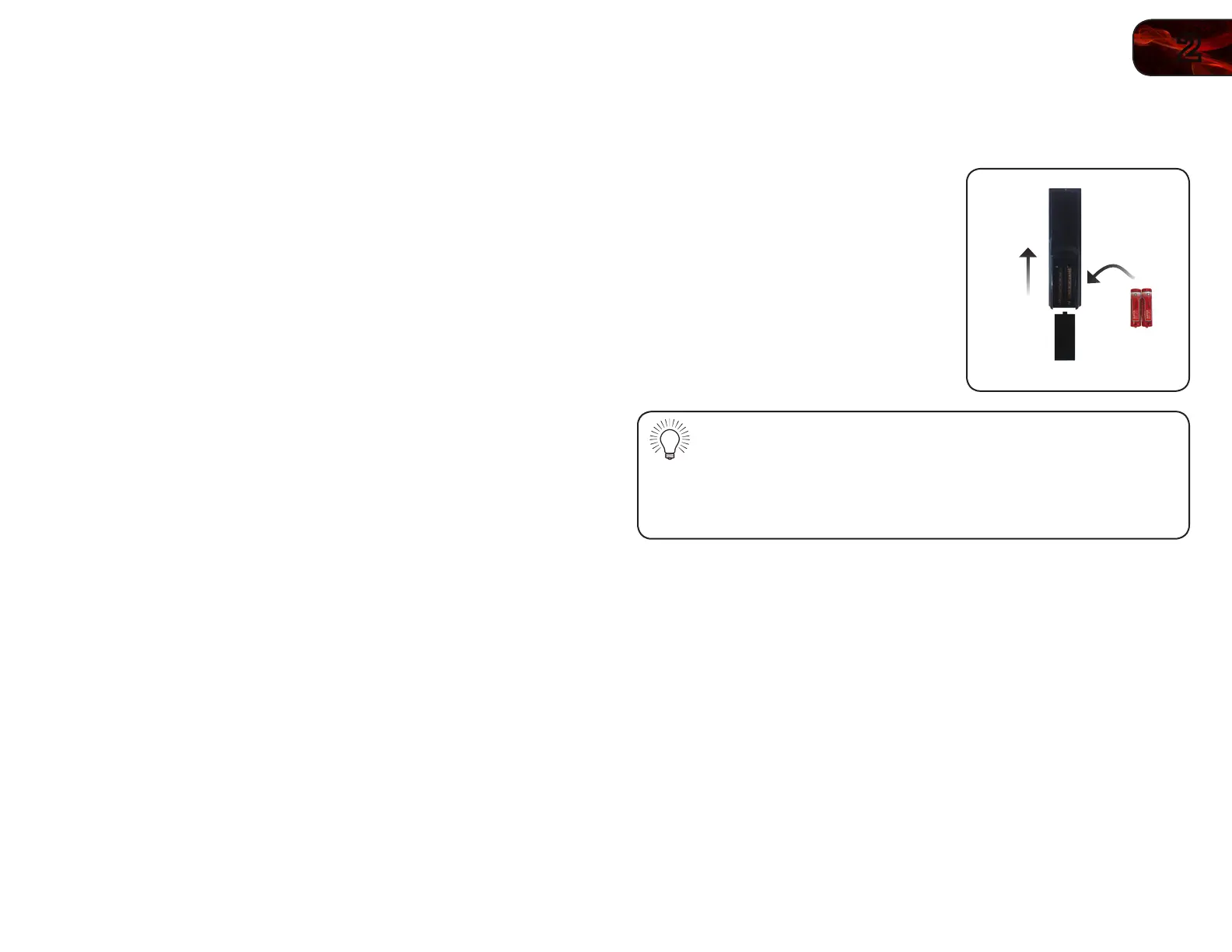
Replacing the Batteries
1. Remove the battery cover.
2. Insert two AA batteries into the remote
control. Make sure that the (+) and (-)
symbols on the batteries match the
(+) and (-) symbols inside the battery
compartment.
3. Replace the battery cover.
• Use only good quality batteries.
• Inserting the batteries incorrectly may result in cracking or leakage
that may cause a fire or result in injury.
• Dispose of old or dead batteries in accordance with local hazardous
waste regulations.
• Keep batteries away from children and pets.



 To Next Page