18
6
E190VA / E220VA / E260VA
Setting the Screen Aspect Ratio
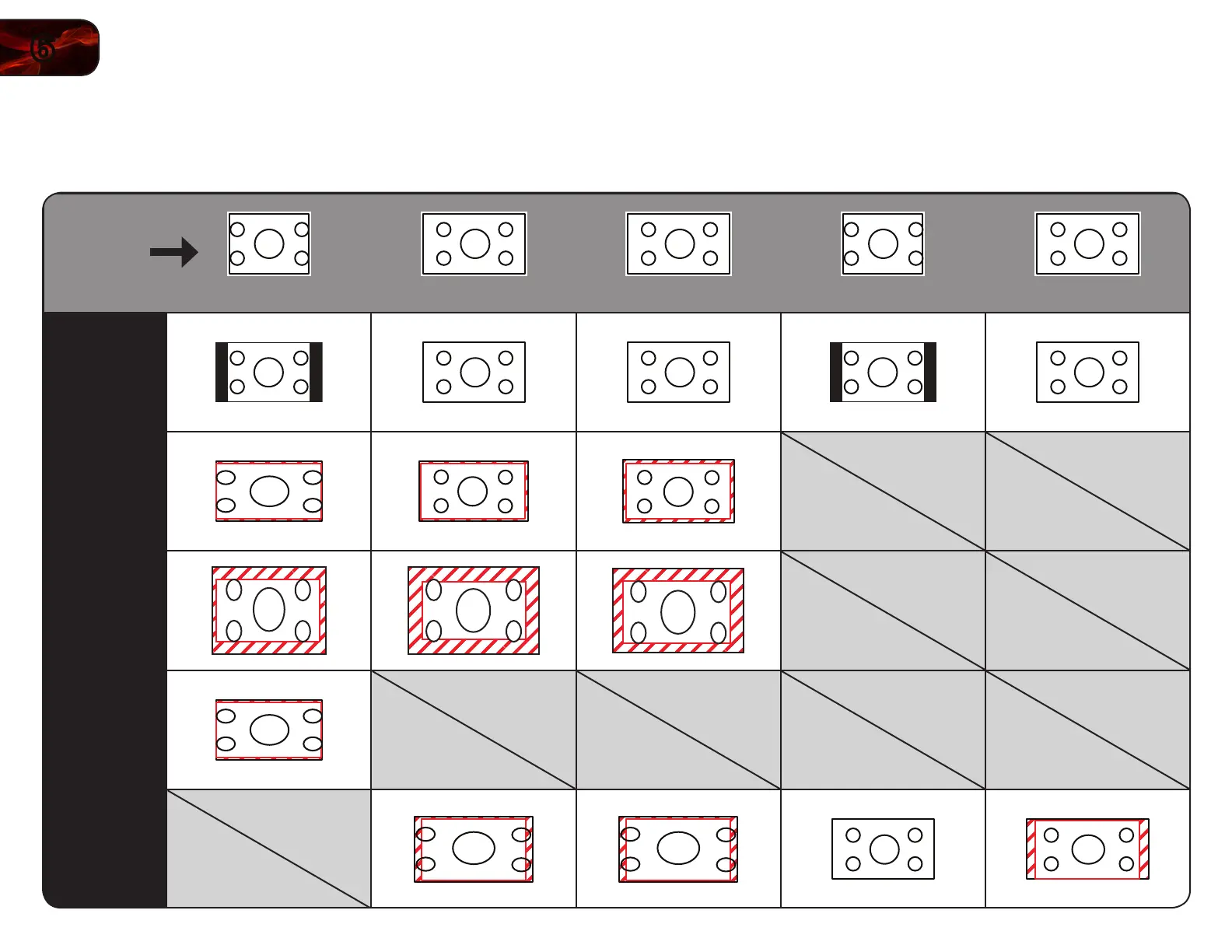
The TV can display images in five different modes: Normal, Wide, Zoom, Panoramic,
and Stretch. Each mode displays content according to the content’s original format.
Original
Content
Format
480p/480i (4:3)
720p (16:9)
1080p/1080i (16:9)
RGB (4:3)
RGB (16:9)
Normal
Wide
Zoom
Panoramic
Stretch
Use the table below to determine the best aspect ratio for your content type.
Areas in red will not be visible on your TV screen.


 To Next Page