FIRST-TIME SETUP
1
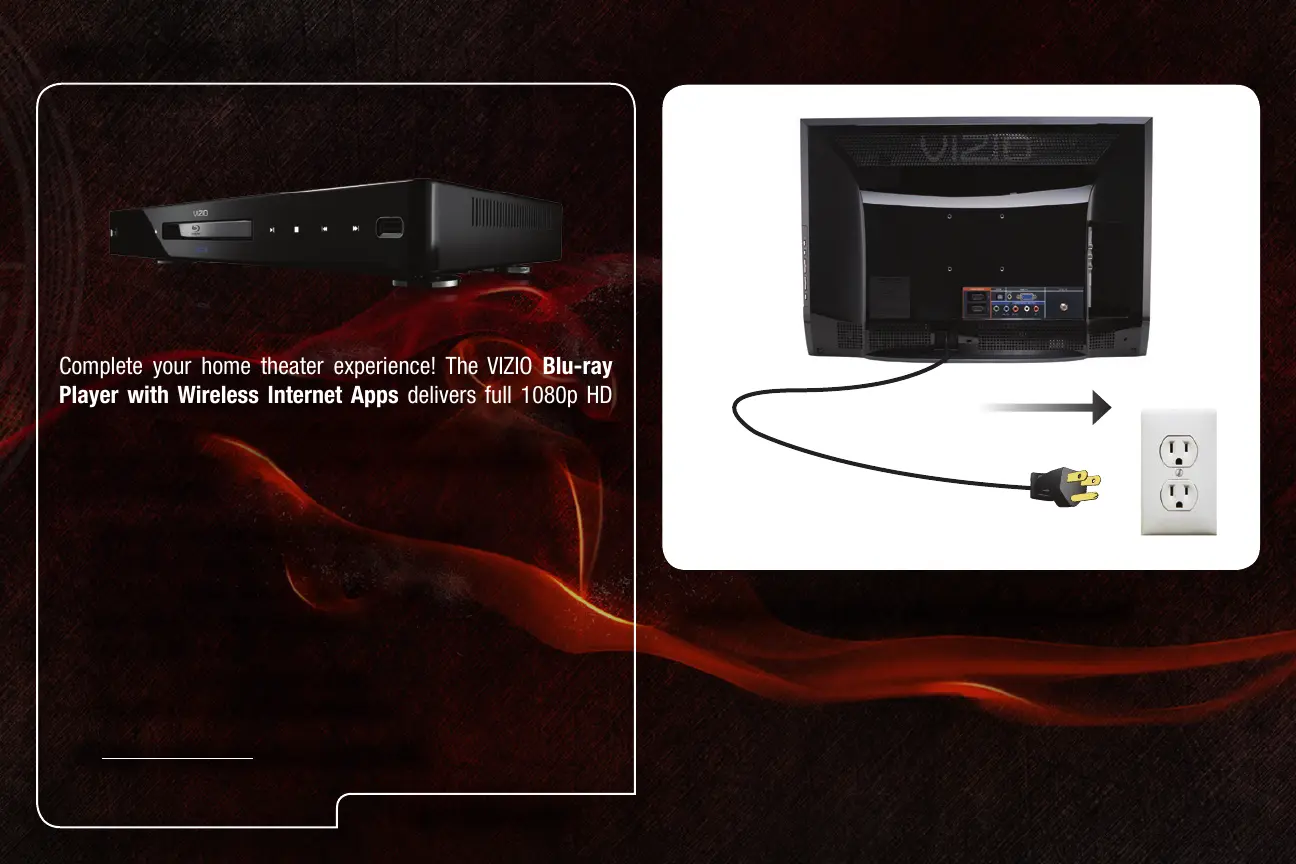
Connect the TV’s power cable to an electrical outlet.
Complete your home theater experience! The VIZIO Blu-ray
Player with Wireless Internet Apps delivers full 1080p HD
video, 7.1 surround sound and has built-in 802.11n dual-band
wireless for easy access to movies, TV shows, music and more
from the Internet.
• Delivers Cinematic High-Denition Picture
• Exceptional Full HD 1080p Performance
• Streams Movies, Music, and More with
VIZIO Wireless Internet Apps
• Built-In Wi-Fi - 802.11n
• Up to 7.1 Channel Digital Audio
• Plays MP3s and JPEG Slideshows
Visit www.VIZIO.com to purchase online.
VIZIO RECOMMENDS


 To Next Page