14
3
VBR337
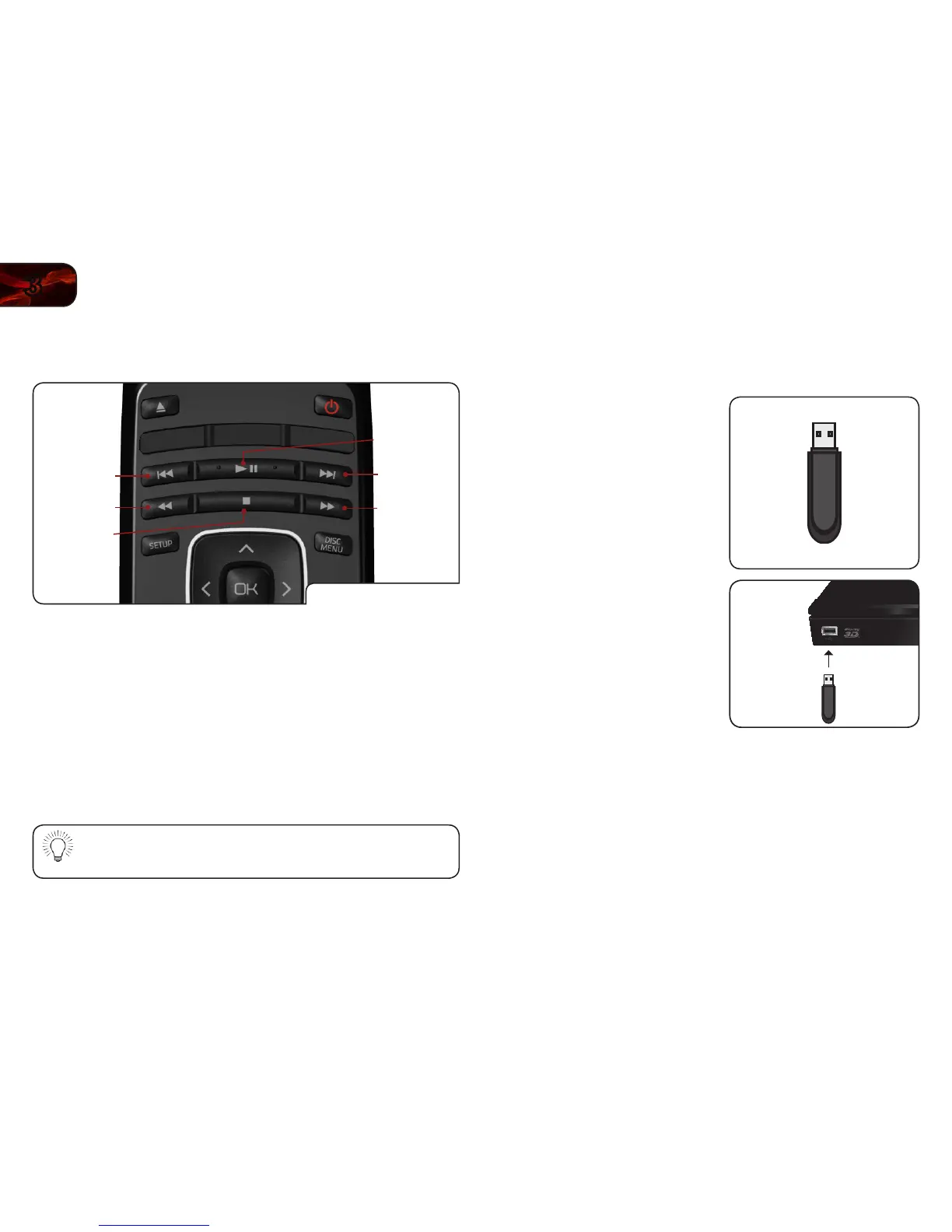
USB Media Playback Controls
When listening to USB audio, you can control the playback using buttons on the
remote.
USB Playback Buttons
Previous
Rewind
Stop
Next
Play/Pause
Fast Forward
Previous: Play the le listed before the currently-playing le. (Audio
only.)
Next: Play the le listed after the currently-playing le. (Audio
only.)
Rewind: Reverse playback. Press repeatedly to increase the speed.
Speeds are x2, x4, x8, x16, x32, x64, and x128. Press Play/
Pause to resume normal playback.
Play/Pause: Pause playback. Press again to resume normal playback.
Fast Forward: Increase speed of playback. Press repeatedly to increase
the speed. Speeds are x2, x4, x8, x16, x32, x64, and x128.
Press Play/Pause to resume normal playback.
Stop: Halt playback.
The REPEAT button can be used with USB audio les as it is with
disc media.
Viewing a Photo Slide Show
Photos can be viewed sequentially using the slide show feature.
To start a slide show:
1. Load all of your .jpeg or .png photos
into a single folder on the USB thumb
drive.
2. Turn the player off. Connect your USB
thumb drive to the USB port on the
back of the player.



 To Next Page