VMAC – Vehicle Mounted Air Compressors
Toll Free: 1-800-738-8622
Fax: 1-250-740-3201
28
4.2 Connecting the Wiring Harnesses
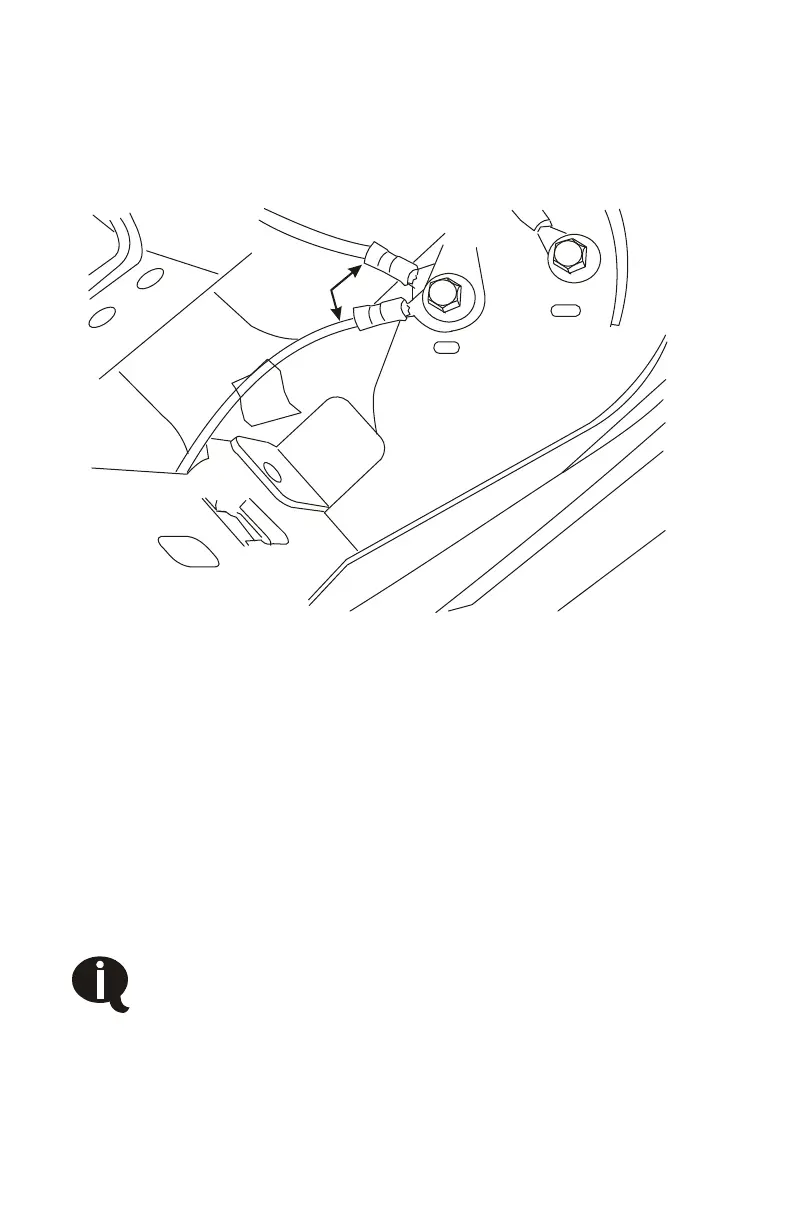
□ Attach the green ground wire from the interface connector and
the green wire from the throttle control box to an OEM ground
bolt on the dash above the data link connector (Figure 4.5).
Ground wires
Figure 4.5
□ Connect the red wire from the interface cable to the red wire at
the throttle control box.
□ Remove the OEM connector from the throttle pedal, connect the
wiring from the throttle control box to the throttle pedal and the
OEM connector to the matching plug from the throttle control
box.
□ Locate the key-switched 12V OEM wire under the dash. The wire
is grey with a light blue stripe (Figure 4.6).
This is a blunt-cut wire in a bundle attached to the wires
coming from the data-link connector. Fuse number is
102 (20 A) in the power distribution box.
□ Crimp the red key switched 12V wire from the interface harness
to the OEM wire using a butt-connector.



 To Next Page