31
Instruments
- Display: This is where you set the measurement
intervals of the speedometers and tachometers.
Rpm engine: [2500 rpm: 9000 r/min] in stages of
500 rpm
- Speed: Change speed display (on/off)
- Speed: [10 KNOT: 100 KNOT] in states of 10 (in
the appropriate speed intervals)
- Graph interval: 2 MIN,10 MIN, 30 MIN, 60 MIN,
2 H, 4 H, 8 H
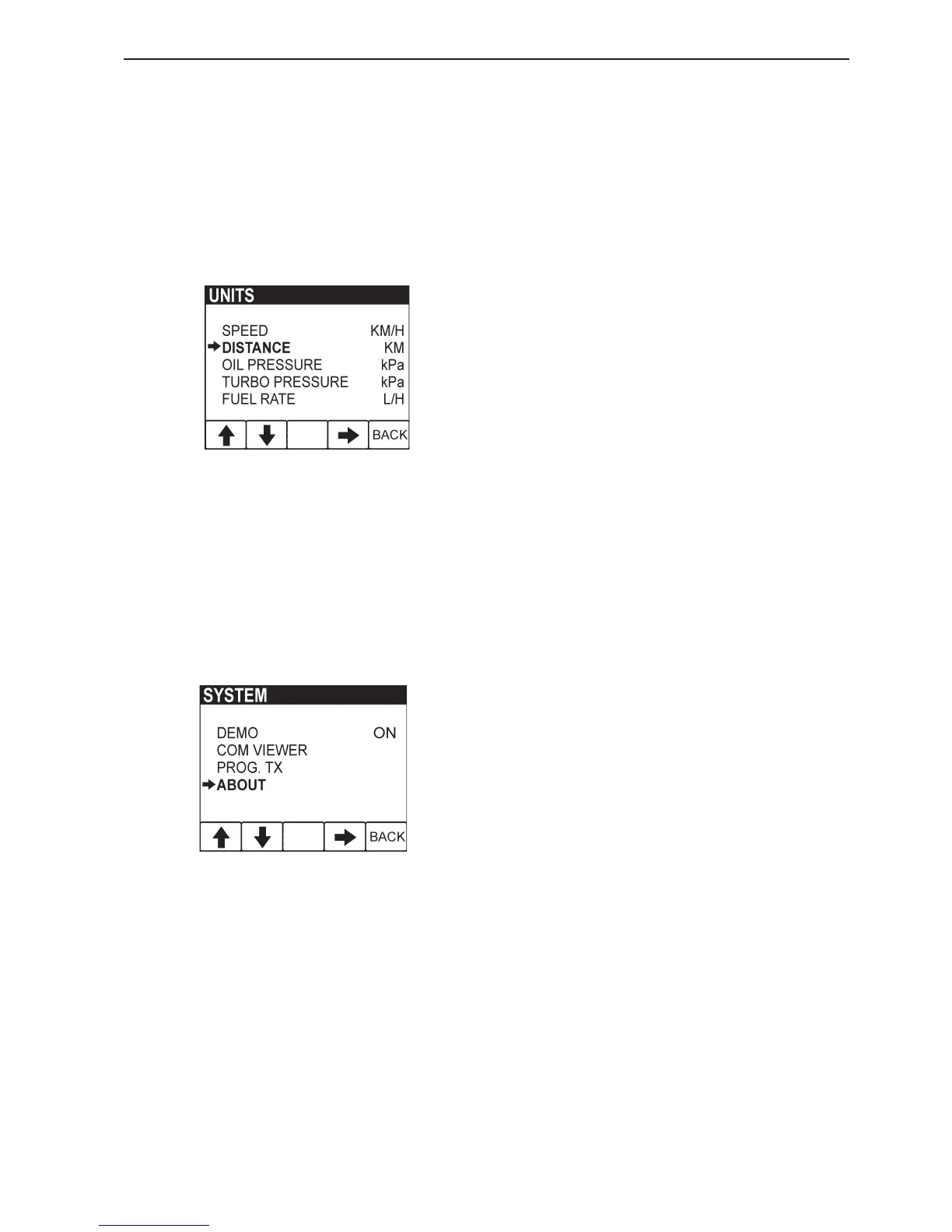
- Units: (This menu is only displayed if LOCAL has
been selected in menu SETTINGS). This is where
you select the measurement units to be used to
display operating information. (GLOBAL is pre-
set, which means that the units of measurement
are pre-set, but they can be changed if LOCAL is
selected in menu UNITS).
- Speed: KNOT, MPH, KM/H
- The distance is adjusted to suit the speed unit:
NM, MILE, KM
- Oil or Turbo pressure: kPa, PSI
- Volume: LITER, GAL, Imperial GAL
- Fuel consumption / time: is adjusted to suit the
volume unit: L/H, GAL/H, IGAL/H
- Temperature: °C (CELSIUS), °F (Fahrenheit)
System
Menu SYSTEM is intended to provide the necessary
functions and information for service technicians.
- Demo: Switches between demo mode ON/OFF
The unit is in normal operation mode when Demo
is OFF.
- Com Viewer: Shows the latest messages recei-
ved on the communication inputs
- Prog tx: Transfers the contents of the application
program in the flash memory to other CANtrak
units on the same CANbus link
- About : Shows the following information:
ID no: Display serial number
Eeprom: No. of writes to the EEPROM
Vers: Software version number
Chk: Flash memory checksum
Part no: Volvo’s part number for the software
Source: Shows the source of the received data
Label: Label allocated on the bus. Each unit on
the same bus must have its own unique label









 To Next Page