Fuel Tank
There are two alternative methods for calibrating the
level sensor in the fuel tank.
Multipoint provides more precise results while Full Fuel
Tank Calibration is an approximate method
Multipoint calibration is a prerequisite if the trip com-
puter is to show fully accurate information.
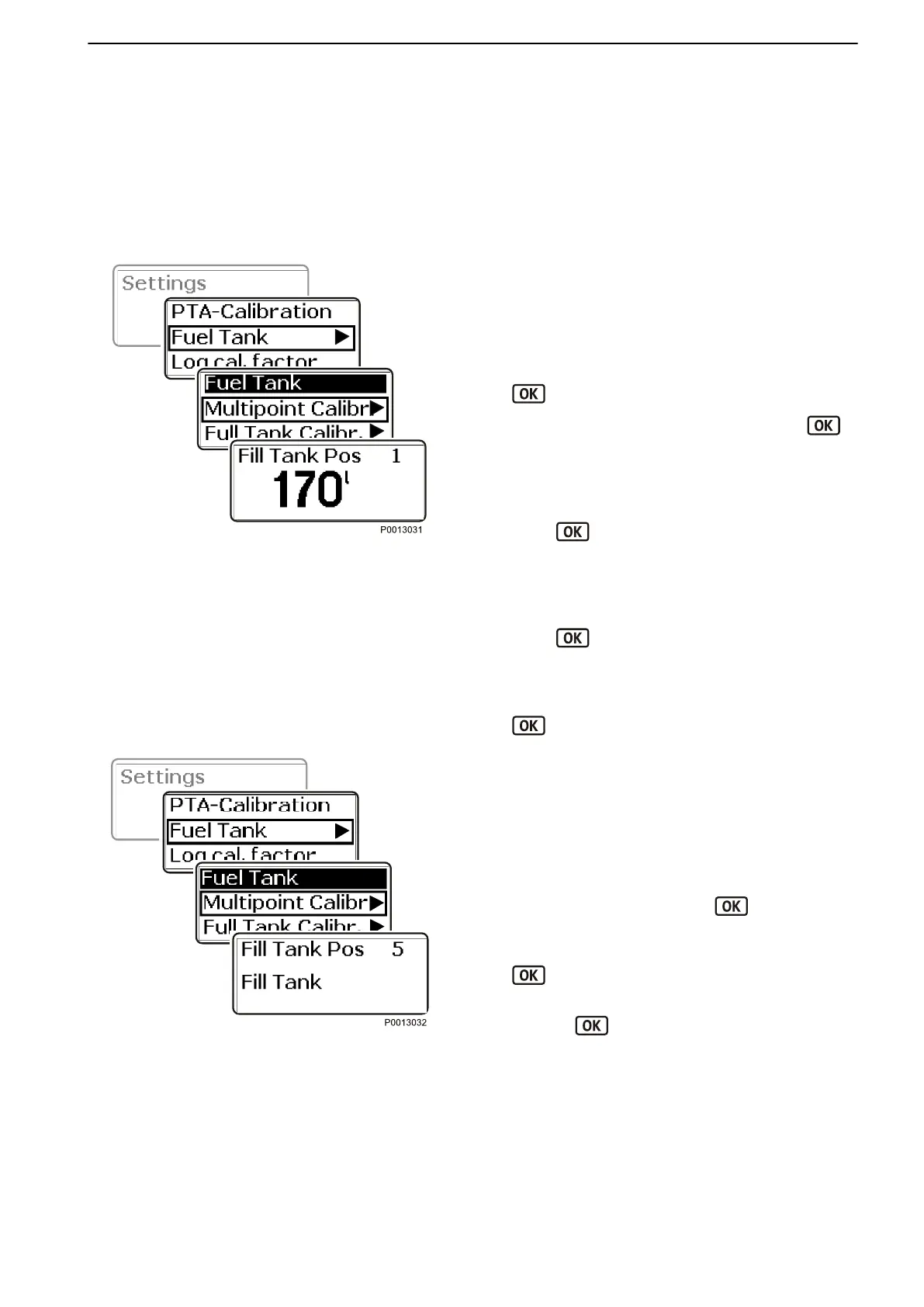
Multipoint
In order for multipoint calibration to be carried out, the
fuel tank may not be filled to more than 20% of its total
capacity.
1 Turn to Fuel Tank in the settings menu and press
to access the calibration menu.
2
Turn to Multi Point Calibration and press
.
3 Calibration is carried out in 5 steps.
Fill the tank with the quantity shown in the display,
POS).
Wait 10 seconds.
Press
to confirm that the tank has been filled
to the indicated level.
4 Fill the tank with the quantity shown in the display,
POS 2.
Wait 10 seconds.
Press to confirm that the tank has been filled
to the indicated level.
5 Repeat the procedure for POS 3 , POS 4 and POS
5. Confirm by pressing the wheel at each position.
.
Full Fuel Tank Calibration
For this method the tank must be full and calibration of
the fuel level sensor takes place in one step. This
means that the fuel level value will be approximate,
and therefore all trip data based on remaining fuel must
be seen as approximate values.
1
Turn to Fuel Tank and press to reach the
submenu.
2 Select Full Fuel Tank Calibration and press
.
3 Fill the fuel tank. Confirm that the fuel tank is full by
pressing
.
IMPORTANT!
Settings for Fuel Tank Volume, Empty Tank Calibra-
tion and Fuel Alarm Level should only be carried out
by an authorized Volvo Penta workshop.
Multipoint
Full Fuel Tank Calibration
Calibration and Settings
47705992 05-2015 © AB VOLVO PENTA 125



 To Next Page