38
Repair Instructions
Replacing thermostat
Special tools: 9996863
1
Drain the necessary amount of coolant.
2
Shut off the fuel cocks and remove the fuel filter from
the thermostat housing cover.
3
Remove the thermostat housing cover and lift the
thermostat out.
4
7
Locate the new or checked and approved thermostat
in the housing and install the cover. Use new sealing
rings.
8
Install the fuel filter. Open the fuel cocks and if neces-
sary vent the fuel system according to the instruc-
tions in Workshop Manual “Group 23 Fuel system” on
page 39.
9
Fill coolant.
See instruction “Filling coolant” page 25.
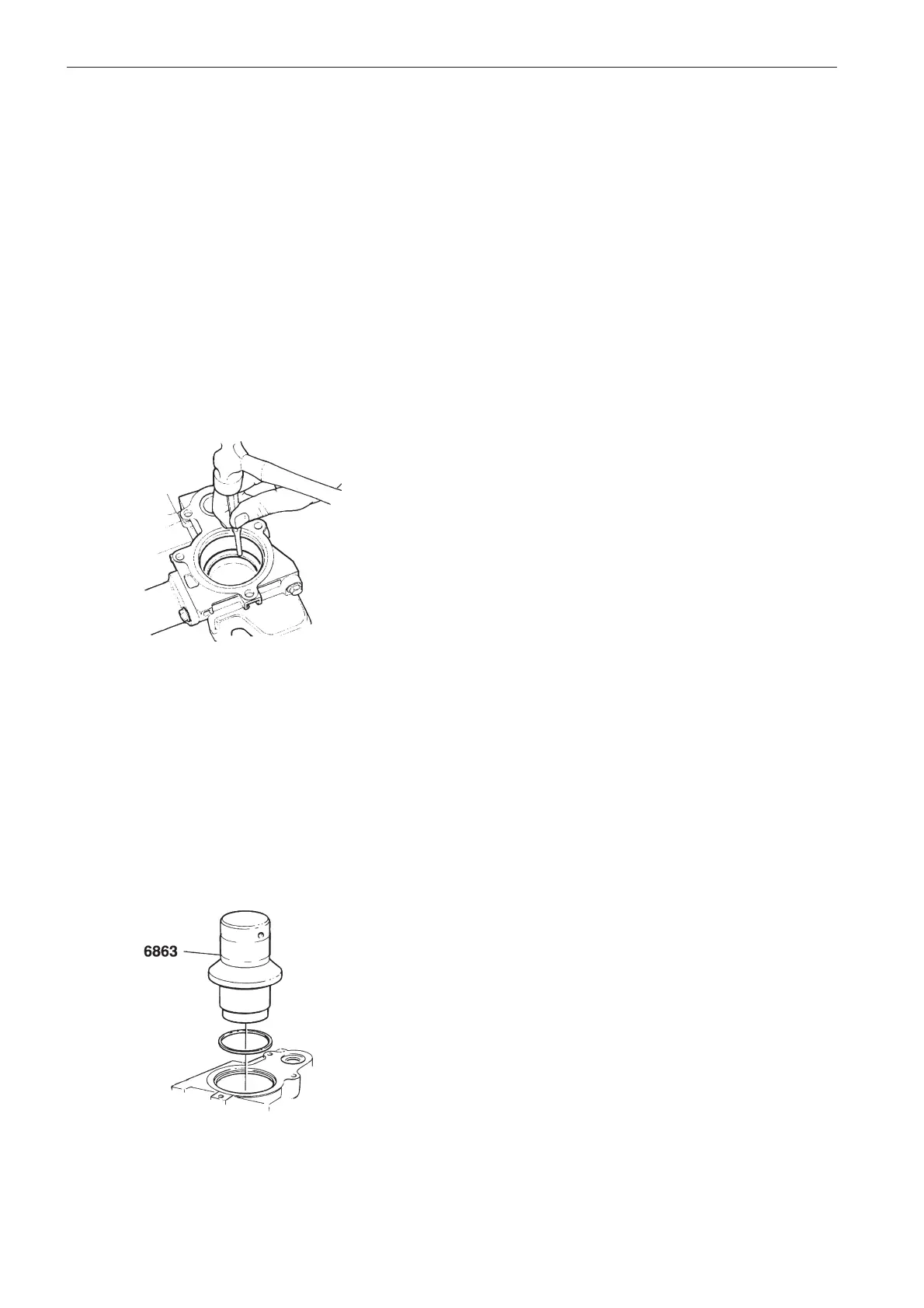
Remove the old sealing ring by tapping it with a drift
so that it edges and can be removed.
Note. Take care not to damage the mating surfaces
for sealing rings in the thermostat housing.
5
Clean the mating surfaces in the thermostat housing
and in the cover.
6
Place a new sealing ring on drift 9996863. Carefully
tap the sealing ring down until it bottoms in the ther-
mostat housing.



 To Next Page