Malfunctions Group 30: Electrical system
36
Measurements
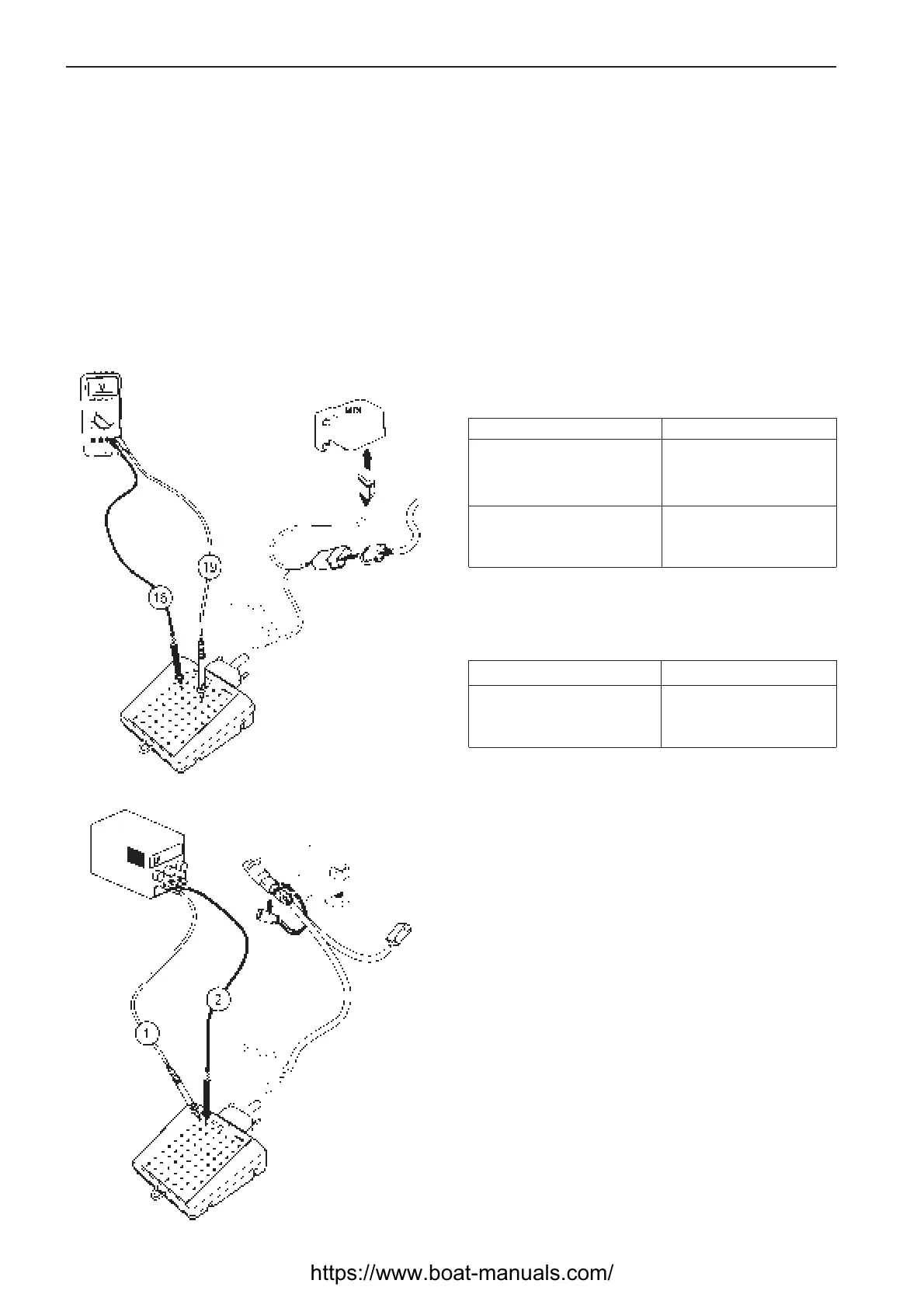
Check MDI output for stop solenoid
Special tools: Multimeter 9812519,
Adapter cable 88890016, Measurebox 9998699
1. NOTE! Cut the current with the main switch.
2. Connect adapter cable 88890016 with measure-
box 9998699 between the MDI and the engine
connector.
3. Use multimeter 9812519 for voltage measure-
ment.
4. Turn the main switch on and press the on button
on the button panel.
Measurement points Nominal value
(stop button not pushed)
19 (solenoid pos.) –U ≈ 0V
16 (battery neg.) (solenoid not activated)
(stop button pushed)
19 (solenoid pos.) –U ≈ 0.9 x battery voltage
16 (battery neg.) (solenoid activated)
5. Disconnect the solenoid connector at the stop so-
lenoid.
Measurement points Nominal value
(solenoid disconnected)
19 (solenoid pos.) –U ≈ battery voltage
16 (battery neg.)
Check stop solenoid
Special tools: Adapter cable 88890016,
Measurebox 9998699
1. NOTE! Cut the current with the main switch.
2. Disconnect the solenoid connector at the stop so-
lenoid.
3. Connect adapter cable 88890016 with measure-
box 9998699 to the stop solenoid.
4. Connect a power supply of +12 Volt, 6 Ampere to
the stop solenoid. Connect the power supply posi-
tive to the measurebox outlet 1 and connect the
power supply negative to the measurebox outlet 2.
One should notice a click in the solenoid when the
solenoid activates.
https://www.boat-manuals.com/



 To Next Page