X3
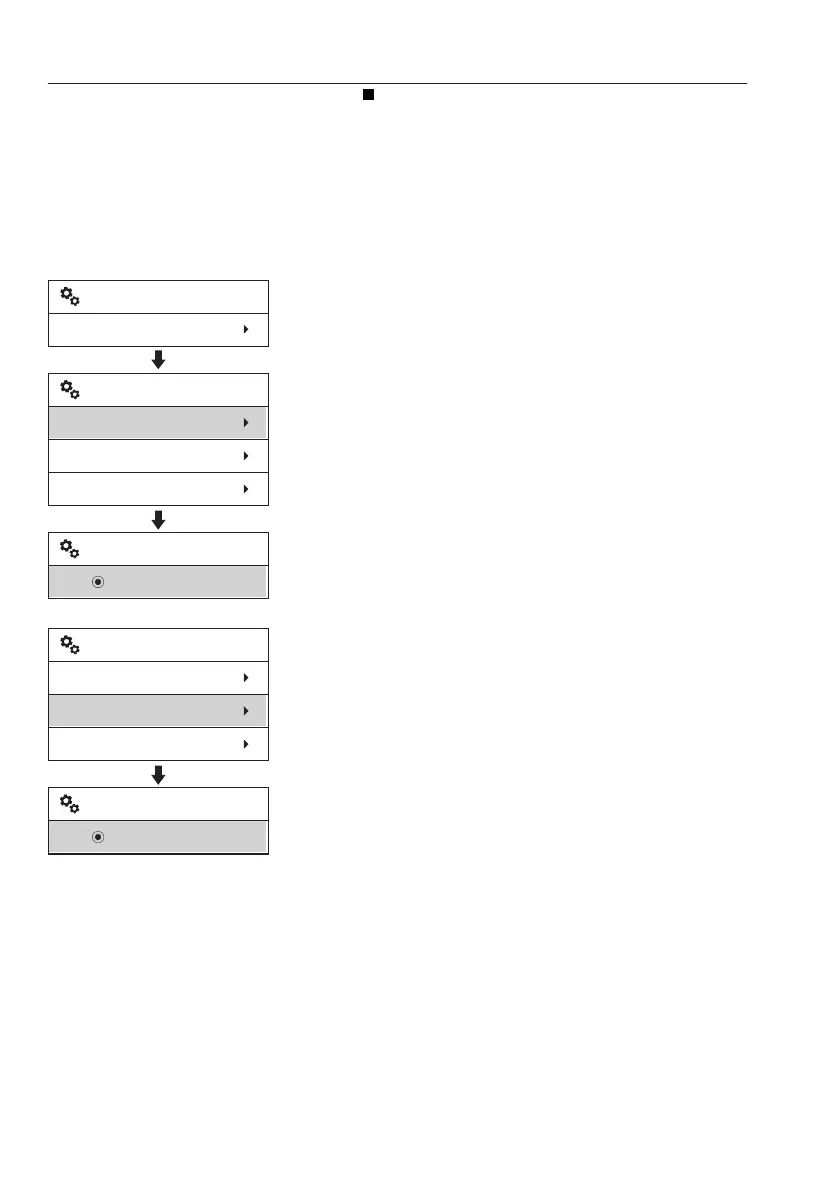
Place the mark at the preferred item from the
three (or four) listed with the arrow button.
When the SELECT button is pressed, the
marked item is set. The screen reverts to the
former screen displaying the newly selected
item.
Refer to page
85
for more detailed
information on control types.
Select work tool : This is to select one of X3
tools form list. When operator push the X3 /
dozer blade button on keypad and then push
the selection button on the left operating lever,
X3 tool which is selected from list can be
activated. See page
100
for more information.
Adjust tool setting : This is to preset control
type, operating speed and response mode of
X3 tool.
V1158340
Setup
X3
X3
Select work tool
Adjust tool setting
New
Rotator
Select work tool
V1158341
X3
Select work tool
Adjust tool setting
New
Rotator
Adjust tool setting
62
Instrument panels
Display unit


 To Next Page