A
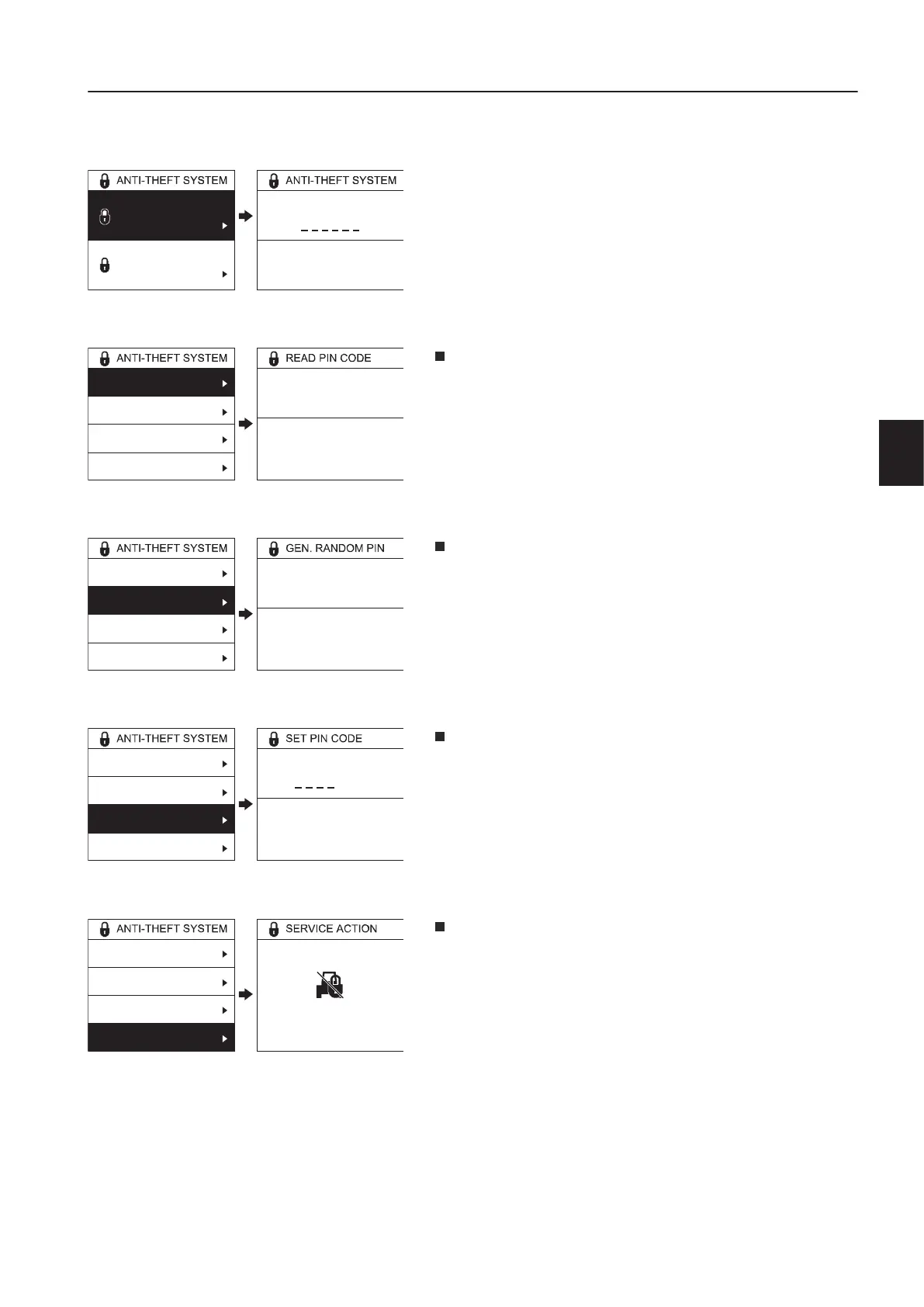
Anti-theft syste m, setup menu
This menu is used for setting up the anti-theft system. This menu
is divided into two sub-menus as follows.
1P
: The machine owner's PIN code is required to
access this menu. (6 digits)
e
d
I
N
d
e
: This sub-menu allows the machine owner
to read the current PIN code. (4 digits)
e
n
e
t
e
d
N
: This sub-menu allows the machine
owner to generate a random PIN code. (4 digits)
e
I
N
d
: This sub-menu allows the machine owner to
set a preferred PIN code. (4 digits)
c
i
e
c
i
o
n
: This sub-menu is used for activating
service actions such as moving the machine, replacing the
machine battery and disconnecting the GPS antenna. This
disables the anti-theft system except for remote
immobilization, no coverage immobilization and machine
serial number check, and the WECU informs the CareTrack
portal. The anti-theft system will be activated when the
ignition is turned on the next time.
V1137943
0
Anti-theft system
Pin-code menu
Anti-theft system
One-time code
Enter owner PIN code
Enter owner PIN code
V1137944
1234
Read PIN code
Generate random PIN
Set PIN code
Activate service action
PIN Code:
PIN Code
V1139550
2345
Read PIN code
Generate random PIN
Set PIN code
Activate service action
New PIN Code:
New PIN Code
V1139551
0
Read PIN code
Generate random PIN
Set PIN code
Activate service action
New PIN Code:
New PIN Code
V1139552
Read PIN code
Generate random PIN
Set PIN code
Activate service action
Immobilizer temporarily OFF
Immobilizer temporarily OFF
n
s
r
u
m
e
n
t
a
n
e
l
s
i
s
l
a
y
n
i
t
5



 To Next Page