D
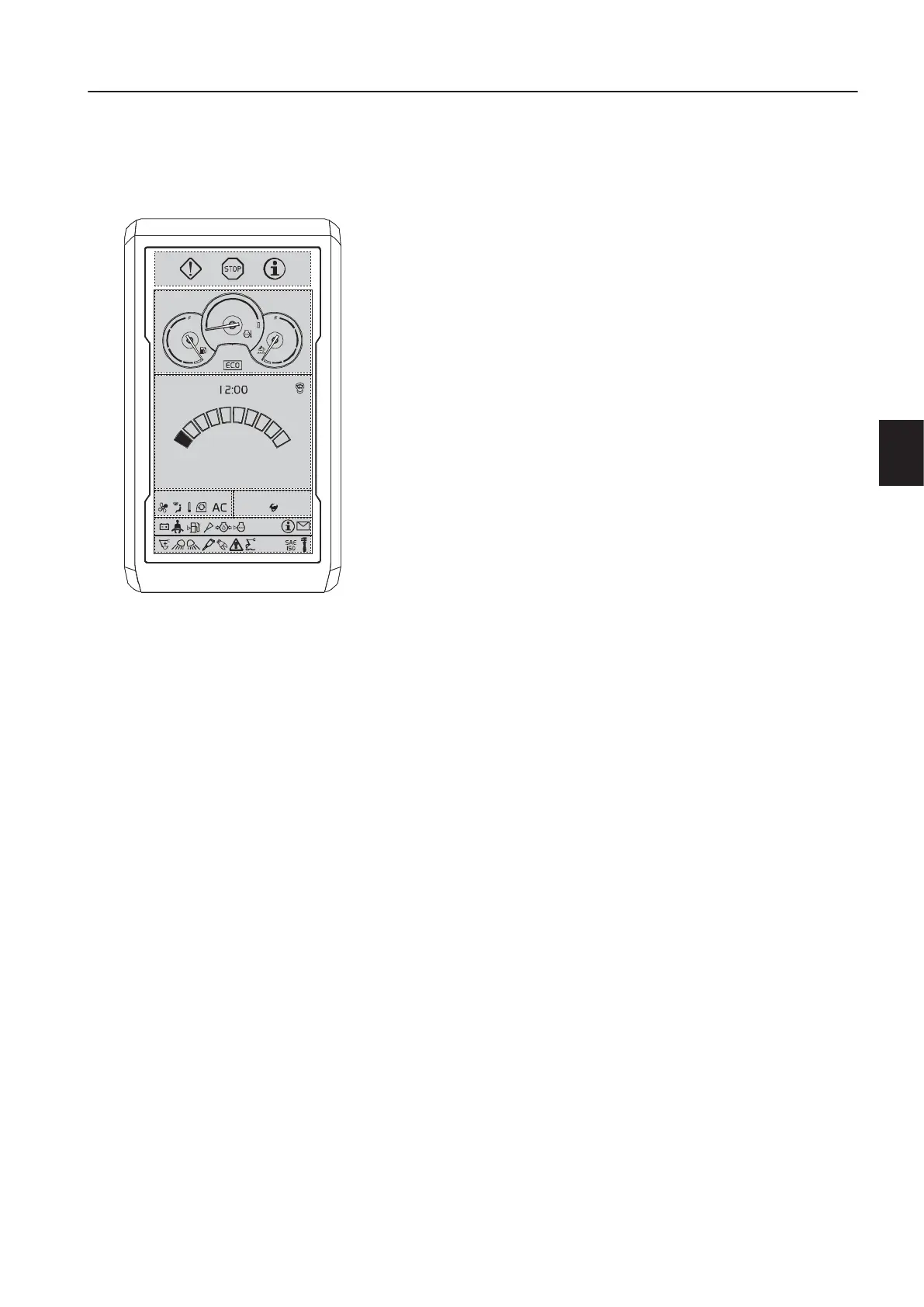
Display unit
Start seq uence
1 The Volvo logo lights up for a few seconds when the ignition
key is turned to running position.
2 The initializing process of the operating system starts.
T
E
!
The engine can be started and the engine speed can be changed
during this period.
3 Enter the code for the anti-theft system (if installed), see page
70
. If the engine is started within 15 seconds (time adjustable
with TechTool) after having turned it off, the code does not
have to be entered again.
4 Daily maintenance is shown once a day for five seconds. This
screen can be dismissed by pressing the ESC-button.
5 The standard screen appears.
N
T
E
!
The camera view is shown in the IC (Instrument Cluster) at every
machine start, it could be closed with the ESC button.
l
V1150143
0 rpm
FLOWCLIMATE SPEED MODE
180 L W
Standard screen
n
s
r
u
m
e
n
t
a
n
e
l
s
i
s
l
a
y
n
i
t
7



 To Next Page