03 Planning your trip
Settings
03
``
45
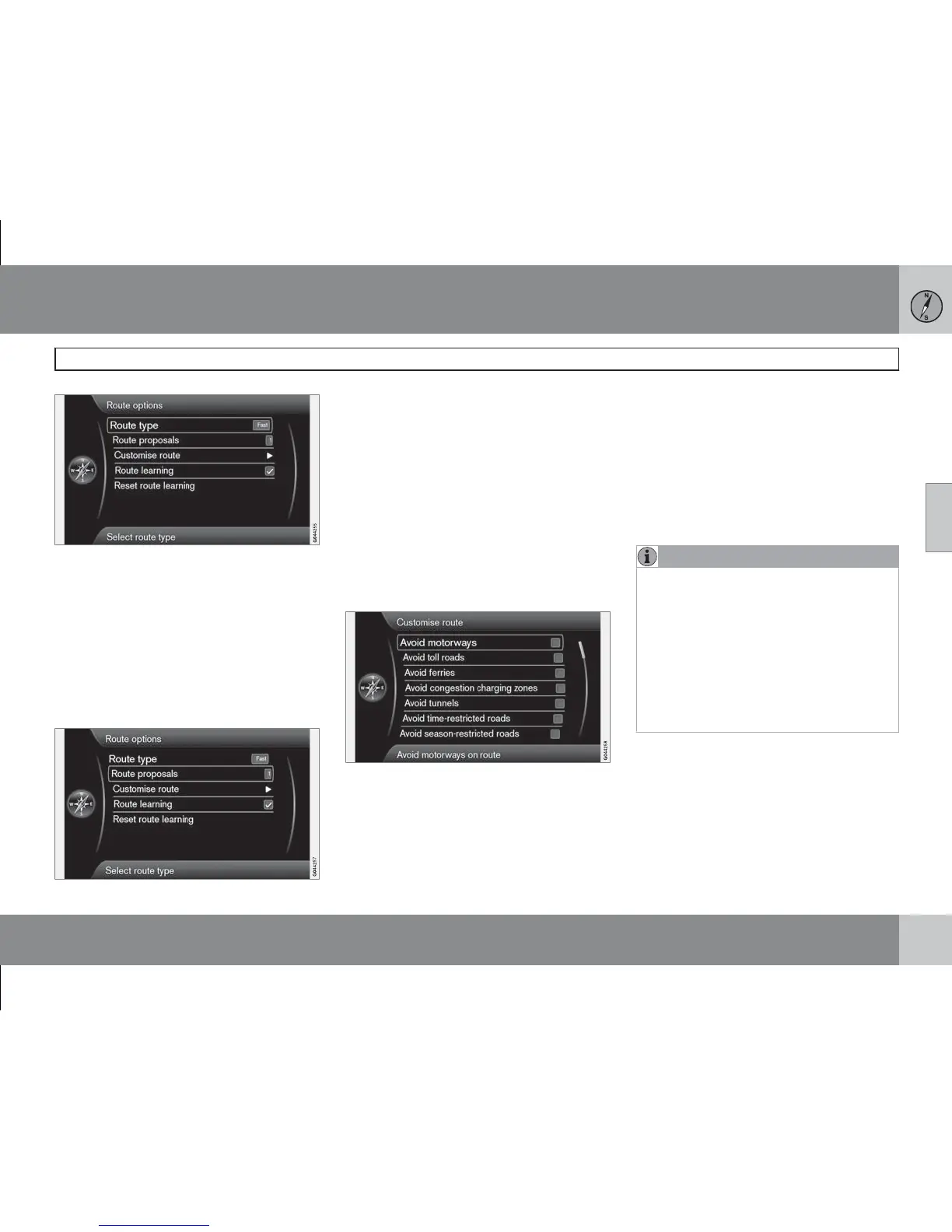
Different types of itinerary can be selected
here:
•
Fast (Fast) - shortest possible travel time
prioritised
•
Short - shortest possible route prioritised
•
Easy - minimum number of junctions and
similar traffic systems prioritised.
Route proposals
(Route proposals)
At the command Start guidance there may be
several similar suitable options. Select this if
the driver should be asked in case there are
several options to choose from:
•
Select 1 if the navigation system is to select
the most suitable option.
•
Select 3 if the driver is to be able to select
between the maximum 3 given sugges-
tions.
See more information on page 40.
Customise route
(Customise route)
Here you can deselect certain traffic sugges-
tions. Tick to avoid the following along the
entire route:
•
Avoid motorways (Avoid motorways)
•
Avoid toll roads (Avoid toll roads)
•
Avoid ferries (Avoid ferries)
•
Avoid congestion charging zones
(Avoid congestion charging zones)
•
Avoid tunnels (Avoid tunnels)
•
Avoid time-restricted roads (Avoid time-
restricted roads)
•
Avoid season-restricted roads (Avoid
season-restricted roads)
•
Avoid car trains
NOTE
•
If an itinerary is entered when these
selections are made, there may be a
certain delay after an alternative has
been ticked/unticked because the
travel plan must be recalculated.
•
If tunnels, toll roads and motorways are
deselected these are avoided to the
greatest possible degree and only used
if there are no other suitable alternative
is available.
Route learning
(Route learning)
The basic condition is a stored itinerary. If the
driver deviates from the itinerary and take a
different route to the final destination than the
system recommends, the system memorizes
the driver's choice.



 To Next Page