AUDIO AND MEDIA
47
Playback and navigation of DVD
video discs
When playing back a DVD video disc a disc
menu may appear on the display screen. The
disc menu gives access to additional functions
and settings, such as selecting subtitles, lan-
guage and scene selection.
For basic information on playback and naviga-
tion, read how the system is operated and menu
navigation (p. 28). See below for a more
detailed description.
NOTE
A video film is only shown when the car is
stationary. There will be no picture when the
car is moving and
Video unavailable at this
speed is shown on the screen, but the audio
continues to be played back. The picture
returns when the car is almost stationary.
Navigation in the DVD video disc's
menu
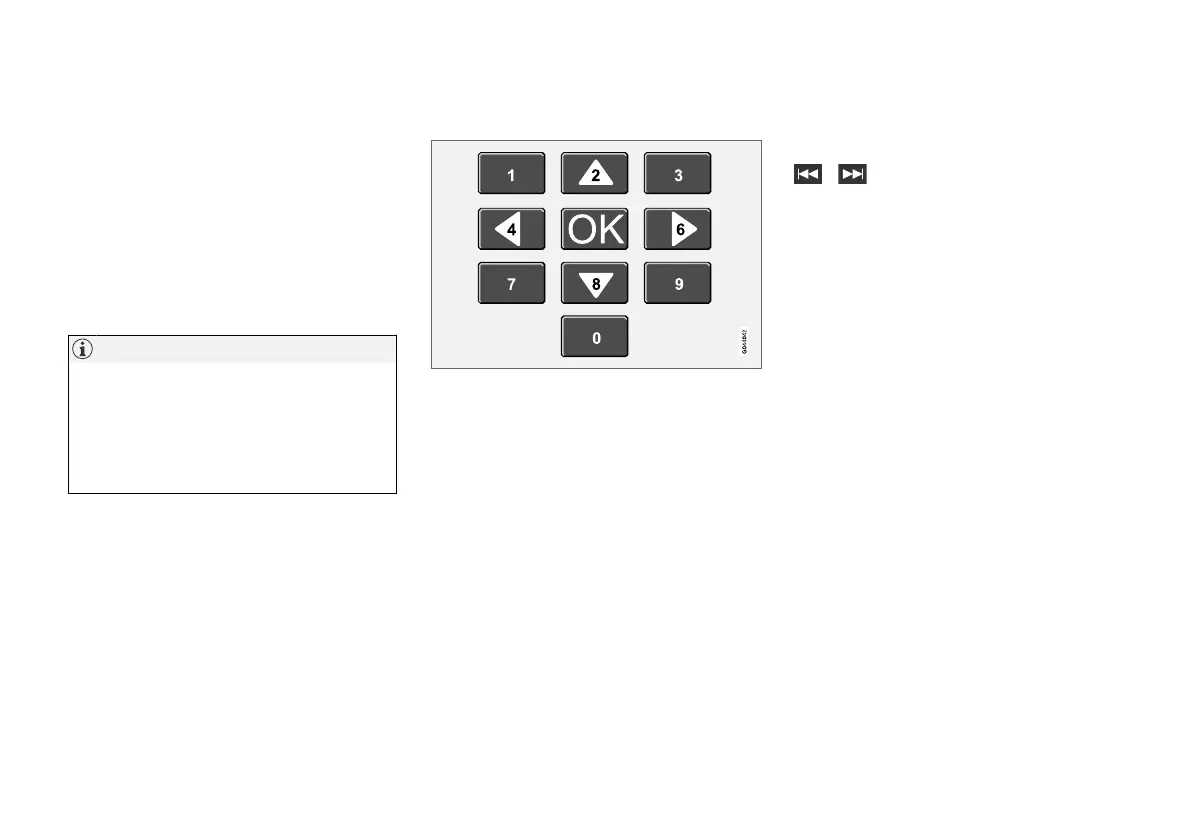
Navigation in the DVD video disc's menu is per-
formed using the number keys in the centre con-
sole as illustrated above.
Changing chapter or title
Turn TUNE to access the list of chapters and
navigate through them (if the film is being played
back then it is paused). Press OK/MENU to
select the chapter, this also leads back to the
original position (if the film was being played
back then it is restarted). Press EXIT to access
the title list.
Titles are selected in the title list by turning
TUNE and the selection is confirmed with OK/
MENU, this also leads back to the chapter list.
Press OK/MENU to activate the selection and
return to the start position. Use EXIT to cancel
the selection and this leads back to the original
position (without any selection being made).
The chapter can also be changed by pressing on
/ in the centre console or the steering
wheel keypad.
Related information
•
Audio and media - operating the system
(p. 28)
•
Camera angle for playback of DVD video
discs (p. 48)
•
Fast forward/reverse (p. 45)
•
Random playback order of disc tracks or
audio files (p. 45)
•
Media player - compatible file formats
(p. 49)



 To Next Page