MAINTENANCE AND SERVICE
}}
353
Before the service can be used
Volvo ID and my profile
•
Register a Volvo ID. For more information
and how to create a Volvo ID, see Volvo ID
(p. 21).
•
Log in to the owner portal My Volvo, go to
your profile and carry out the following:
1. Check that the car is connected to your pro-
file.
2. Check that your contact information is cor-
rect.
3. Select the Volvo dealer you want to contact
for service and repair.
4. Choose preferred communication channel
(phone). Booking information is always sent
to the car and to you via email.
Prerequisite for booking from car
•
To send and receive booking information
from and to the car, the car must be con-
nected to the Internet, see the Sensus Info-
tainment supplement for information about
how to connect the car to the Internet.
•
Since the booking information is sent over
your private phone subscription, you will be
asked whether you want to send the informa-
tion. The question is asked once and then
applies to the selected connection for a lim-
ited time.
•
For the service to work and for the system to
communicate via the car's screen, notifica-
tions/pop-up messages must be accepted.
In the normal view for the MY CAR source,
press OK/MENU and then
Service & repair
Display notifications.
Using the service
All menus and settings are accessed from the
normal view in MY CAR by pressing OK/MENU
and then
Service & repair.
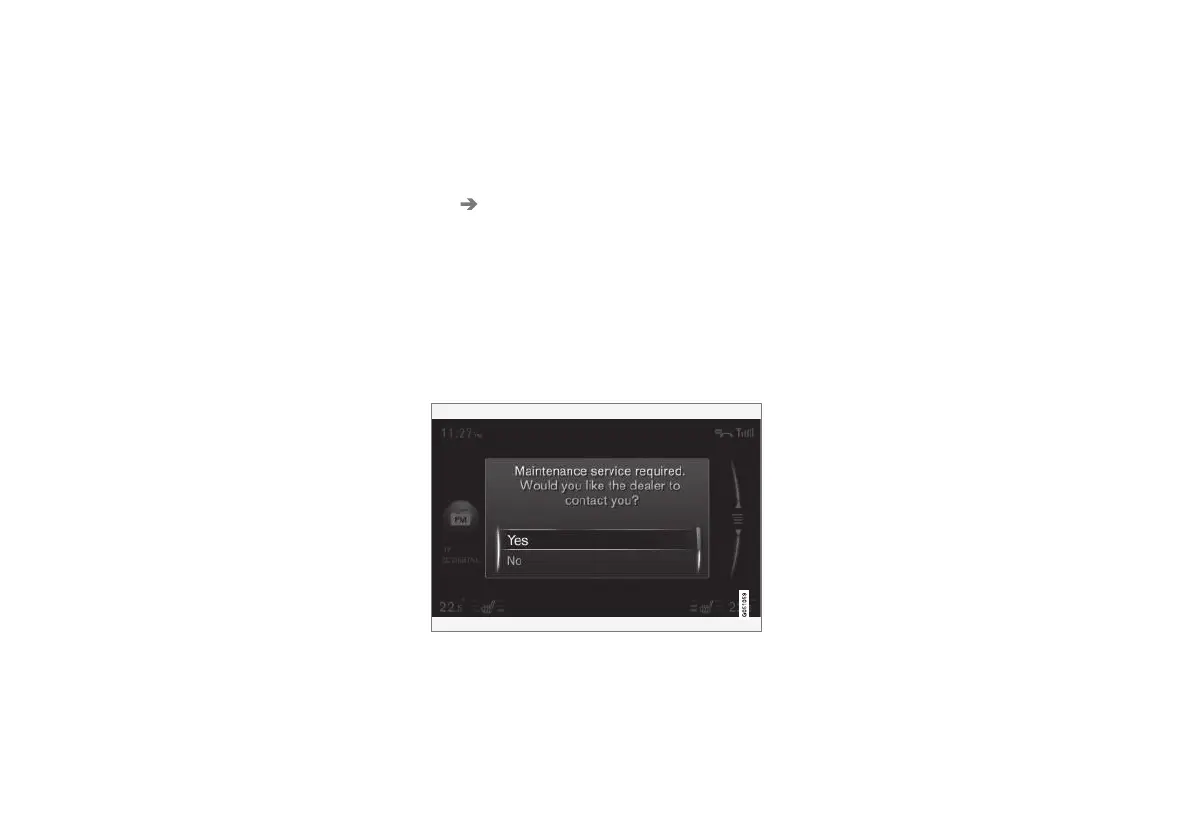
When it is time for service, and in some cases
when the car is in need of repair, this is notified
in the combined instrument panel (p. 68) and via
a pop-up menu in the screen.
Service message in the screen.
Meaning of the answer options in the screen's
pop-up menu:
•
Yes - A booking enquiry is sent to your
dealer who then comes back with a booking
proposal. The service lamp and service mes-
sage in the combined instrument panel are
extinguished.
•
No - No more pop-up messages will be
shown in the screen. The message in the
combined instrument panel remains. After
this option has been selected, it is possible
to start the manual booking in the car, see
below.
•
Postpone - The pop-up menu is shown the
next time the car is started.










 To Next Page