DISPLAYS AND VOICE CONTROL
}}
* Option/accessory.
129
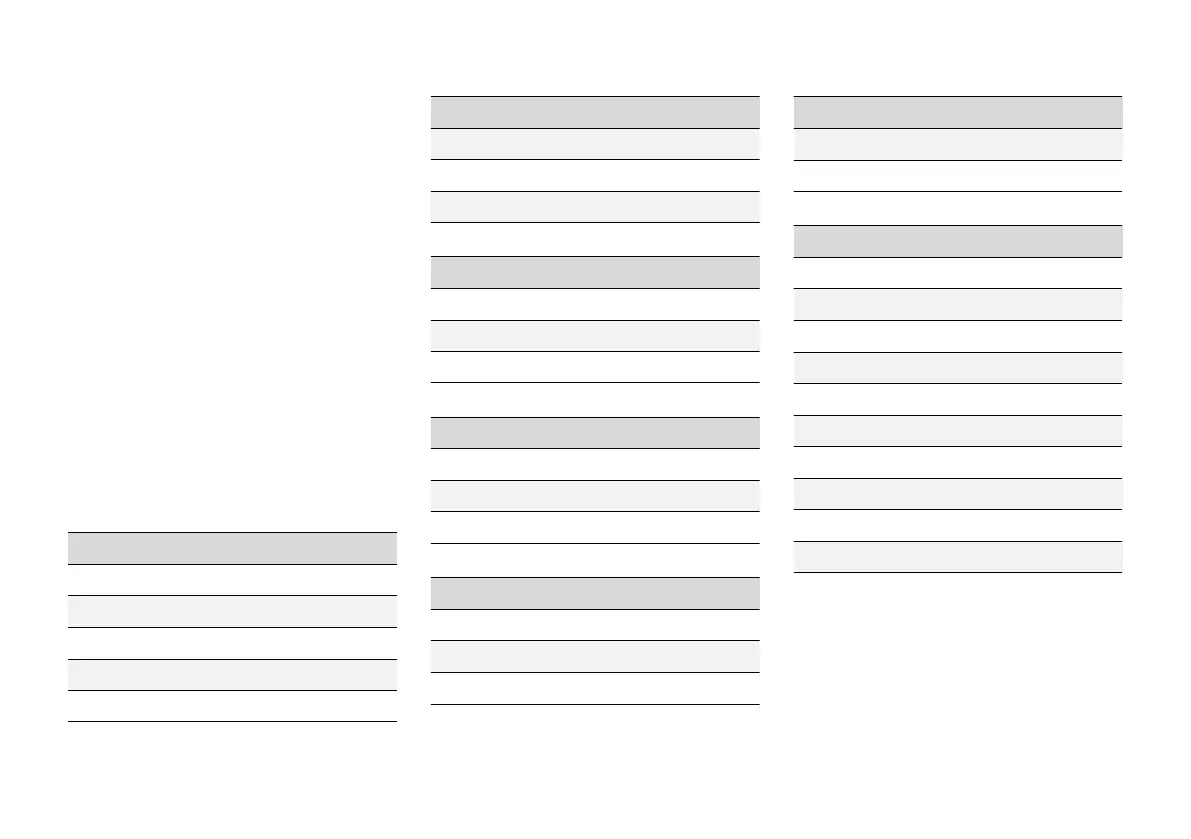
Table showing centre display
settings
The settings menu in the centre display has a
number of main categories and subcategories
where settings and information for many of the
car's functions are collected.
There are seven main categories: My Car,
Sound, Navigation, Media, Communication,
Climate and System.
In turn, each category contains a number of sub-
categories and setting options. The tables below
show the first level of subcategories. The setting
options for a function or area are described in
more detail in the corresponding section of the
owner's manual.
Some settings are personal, which means that
they can be saved to
Driver Profiles. Other set-
tings are global, which means they are not linked
to a driver profile.
My Car
Subcategories
Displays
IntelliSafe
Drive Preferences/Individual Drive Mode*
Lights and Lighting
Mirrors and Convenience
Subcategories
Locking
Parking Brake and Suspension
Wipers
Sound
Subcategories
Tone
Balance
System Volumes
Navigation
Subcategories
Map
Route and Guidance
Traffic
Media
Subcategories
AM/FM radio
DAB
*
Gracenote®
Subcategories
TV*
Video
Communication
Subcategories
Phone
Text Messages
Android Auto
*
Apple CarPlay*
Bluetooth Devices
Wi-Fi
Car Wi-Fi Hotspot
Car Modem Internet
*
Volvo On Call*
Volvo Service Networks
Climate
The main category Climate has no subcatego-
ries.


 To Next Page