DRIVER SUPPORT
}}
* Option/accessory.
413
1.
Press
Towbar (1).
> The park assist lines for the towbar's
intended "path" appear - the car's park
assist lines disappear simultaneously.
Park assist lines for both car and towbar
cannot be shown at the same time.
2.
Press
Zoom (2) when a more precise
manoeuvring is required.
> The camera view zooms in.
Related information
•
Park assist camera* (p. 408)
Sensor fields from Park Assist Pilot
for parking camera
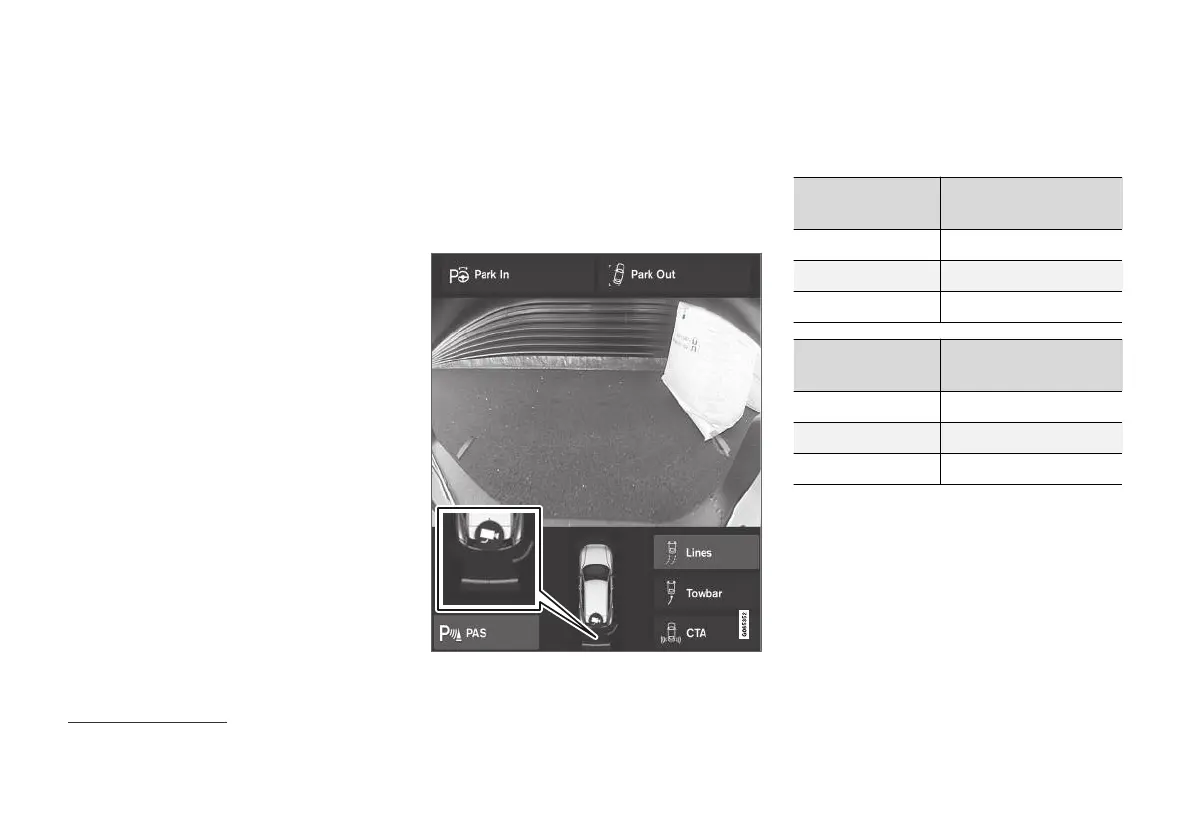
If the car is equipped with Parking assistance
then the distance is shown in the 360° view with
coloured fields for each sensor that registers an
obstacle.
Sensor fields backwards and forwards
The screen can show coloured sensor fields on the car
symbol
118
.
The fields for the sensors for forwards and
reverse change colour as the distance to the
obstacle decreases – from AMBER through
ORANGE to RED.
Field colour
reverse
Distance in metres (feet)
Yellow 0,6-1,5 (2,0-4,9)
Orange 0,3–0,6 (1,0–2,0)
Red 0-0,3 (0-1,0)
Field colour for-
wards
Distance in metres (feet)
Yellow 0,6–0,8 (2,0–2,6)
Orange 0,3–0,6 (1,0–2,0)
Red 0-0,3 (0-1,0)
For RED sensor fields, the pulsating acoustic sig-
nal changes over to a constant tone.
118
The figure is schematic - parts may vary depending on car model.



 To Next Page