DRIVER SUPPORT
391
Lane assistance symbols in the
driver display
Lane assistance LKA
109
is visualised by symbols
in the driver display depending on the situation.
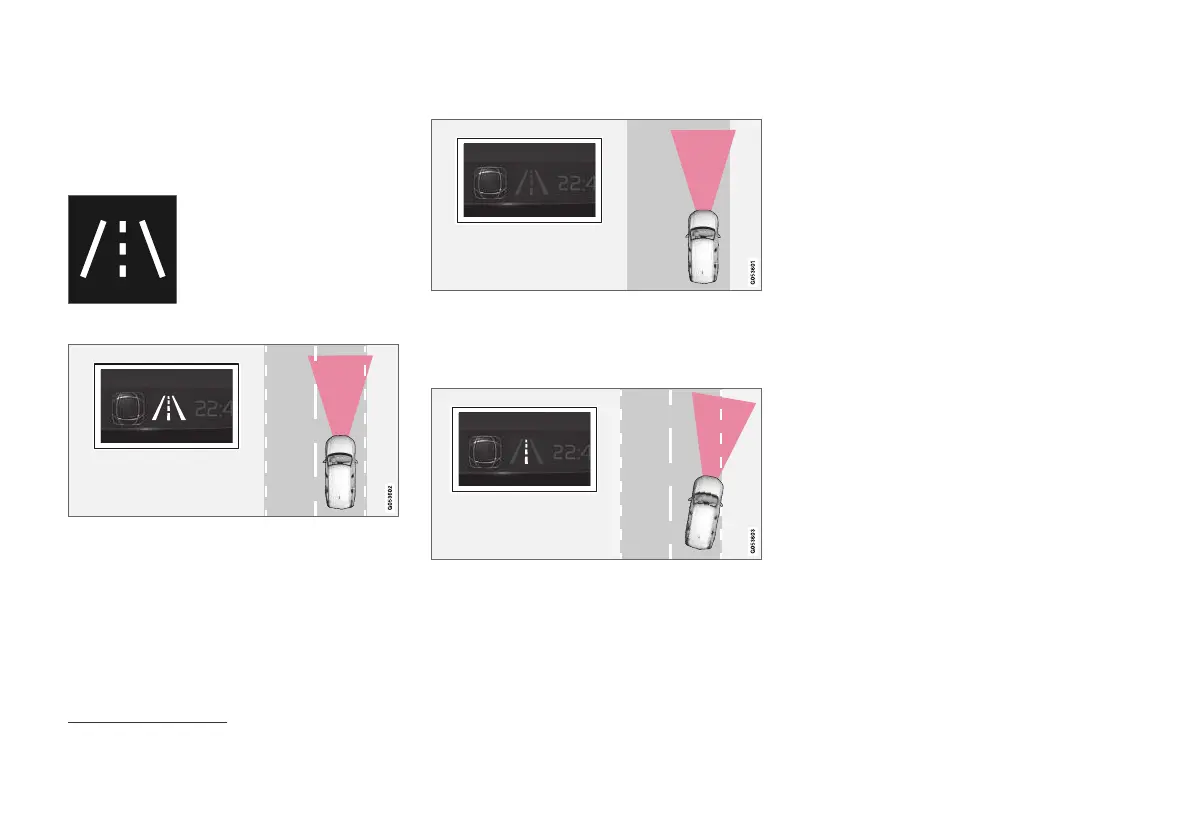
Here are some examples of
symbols and the situations in
which they are shown:
Available
Available — the lane lines in the symbol are WHITE.
Lane assistance is scanning one or both lane
lines.
Unavailable
Unavailable — the lane lines in the symbol are GREY.
The Lane assistance cannot detect the lane lines,
the speed is too low or the road is too narrow.
Indication of steering assistance/warning
Steering assistance/warning - the lane lines in the sym-
bol are COLOURED.
Lane assistance indicates that the system is giv-
ing a warning and/or attempting to steer the car
back into the lane.
Related information
•
Lane assistance (p. 385)
109
Lane Keeping Aid



 To Next Page