STARTING AND DRIVING
457
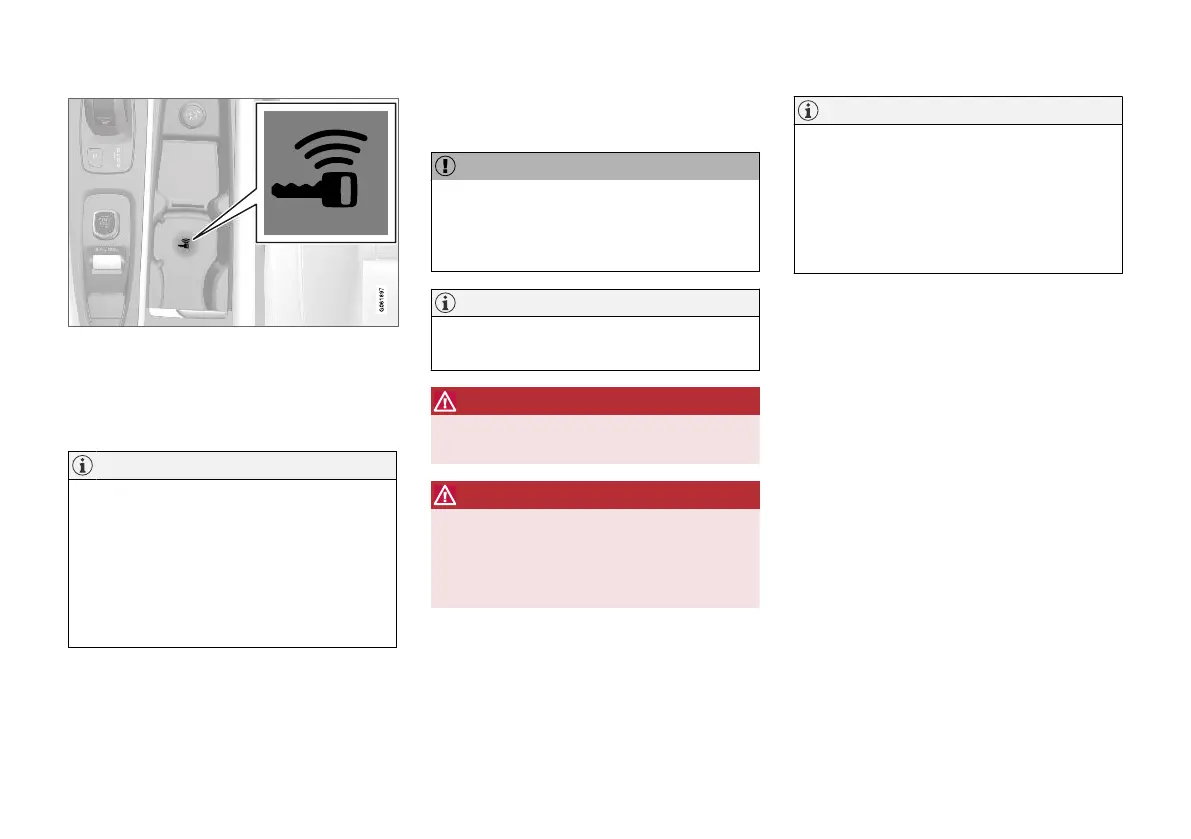
Backup reader's location in the tunnel console.
If the Car key not found message is shown in
the driver display when starting, place the remote
control key by the backup reader. Then try to start
the car again.
NOTE
When the remote control key is positioned by
the backup reader, make sure that there are
no car keys, metal objects or electronic appa-
ratus by the backup reader, (e.g. mobile
phones, tablets, laptops or chargers). Several
car keys close to one another by the backup
reader may cause interference with each
other.
If the message Car start System check, wait is
shown in the driver display when starting, wait
until the message disappears and then try to
start the car again.
IMPORTANT
If the engine fails to start after 3 attempts -
wait for 3 minutes before making a further
attempt. Starting capacity increases if the bat-
tery is allowed to recover.
NOTE
The car cannot be started if the hybrid battery
is discharged.
WARNING
Never remove the remote control key from
the car while driving.
WARNING
Always take the remote control key out from
the car when leaving the car and make sure
the car's electrical system is in ignition posi-
tion 0 - especially if there are children in the
car.
NOTE
The idling speed can be noticeably higher
than normal for certain engine types during
cold starting. This is done in order that the
emissions system can reach normal operating
temperature as quickly as possible, which
minimises exhaust emissions and protects the
environment.
Related information
•
Switching off the car (p. 458)
•
Ignition positions (p. 458)
•
Adjusting the steering wheel (p. 193)
•
Using jump starting with another battery
(p. 497)
•
Selecting ignition mode (p. 459)



 To Next Page