10 English
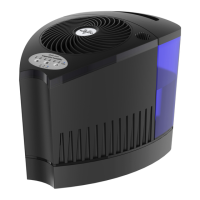
CONTROLS
POWER ON/OFF/CONTROL LOCK
Turn the humidier On/Off. Lock in desired settings.
HUMIDITY
Control humidity level at 30%–70%.
STEAM TEMPERATURE SETTINGS
Customize your steam experience with cool, warm or hot steam settings.
DIGITAL DISPLAY
Easy-to-use touch controls.
STEAM SETTING INDICATOR
Color indicator illuminates steam setting:
Cool steam (purple), warm steam (pink) and hot steam (orange-red).
1
2
3
4
5


 To Next Page