12 English
HOW TO USE
CONTROLS
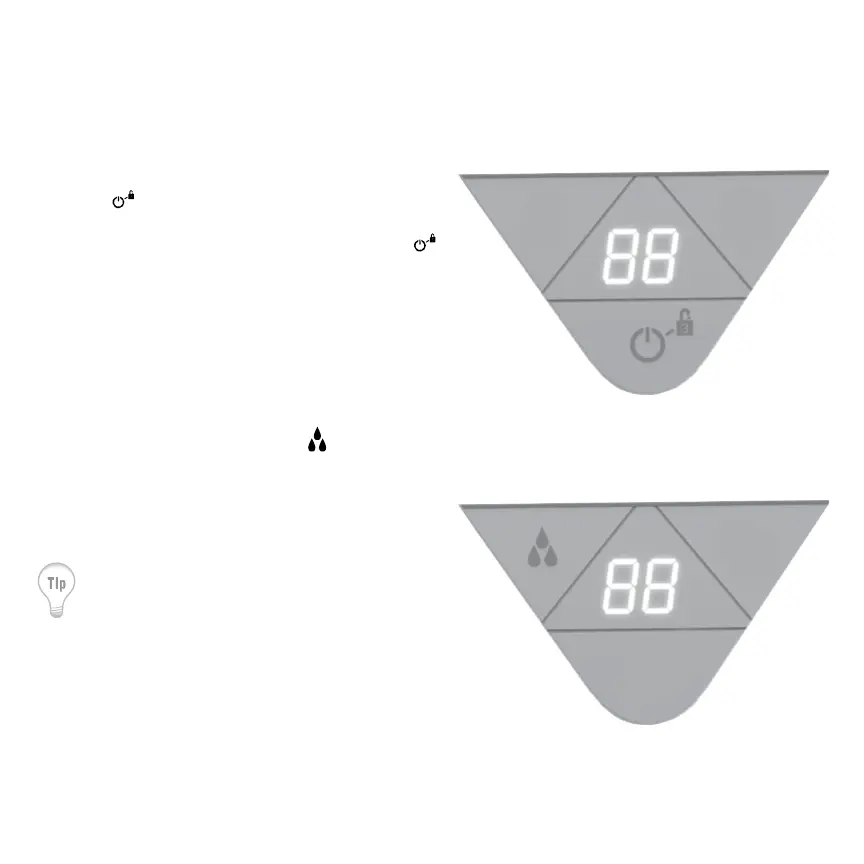
1. Touch to power on. All control panel LED’s will
illuminate white to indicate the unit is powered
on. When the humidier is powered off, only
will illuminate white.
2. Set humidity level by touching
. The
humidity settings will increase in increments of
5%. Once set humidity is reached, Element will
turn off until the humidity level drops below the
selected setting.
The humidier will evaporate 4 gallons of
water (+/- 10%) in 24 hours of continuous
operation. (This assumes room conditions of
70º F and 30% relative humidity.)


 To Next Page