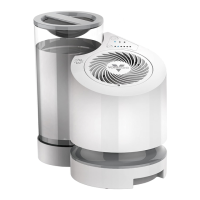
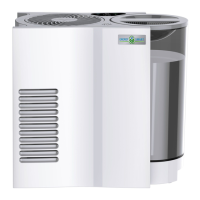
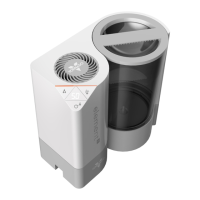
The Element Steam Humidifier is designed to humidify and circulate air in indoor living spaces, offering a range of features for ease of use, control, and maintenance. It is intended for use in the United States and Canada, and not for commercial or industrial purposes.
Function Description
The Element Steam Humidifier works by heating water in a boil chamber to generate steam, which is then emitted through an outlet grill to humidify the entire room. It offers three steam temperature settings: cool, warm, and hot, allowing users to customize their humidification experience. The device also includes a humidity control feature, enabling users to set their desired humidity level between 30% and 70%. Once the set humidity is reached, the unit will turn off until the humidity level drops below the selected setting. The humidifier is capable of evaporating approximately 4 gallons of water (+/- 10%) in 24 hours of continuous operation, assuming room conditions of 70°F and 30% relative humidity.
Usage Features
The Element Steam Humidifier incorporates several features to enhance user convenience:
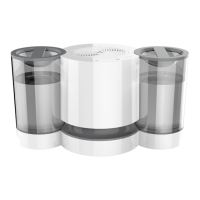
- SimpleTank™ System: This system makes the water tank easy to carry, fill, install, clean, and allows for clear viewing of the water level. The tank has a 0.75-gallon capacity. When refilling, it's important to lift the water tank vertically to avoid disengaging the cap and causing leaks. The cap should be fully tightened, ensuring the rubber gasket is properly positioned and the arrows on the tank align with the indicator lines on the cap.
- Controls and Digital Display: The humidifier features easy-to-use touch controls and a digital display. The power button turns the unit on and off, with all control panel LEDs illuminating white when powered on. The humidity level can be adjusted in 5% increments by touching the humidity control. The steam temperature settings (cool, warm, or hot) are selected by touching the steam setting control, and a color indicator (purple for cool, pink for warm, orange-red for hot) illuminates to show the selected setting.
- Control Lock: An optional control lock feature allows users to lock in their desired settings during operation. To activate, press and hold the power button for 3 seconds. The control panel LEDs will flash once to indicate it's locked, and the attention code "LC" will flash. While locked, settings cannot be changed, and attempting to do so will cause the LEDs to flash three times and "LC" to flash again. The control lock can also be activated when the humidifier is powered off. If the unit is unplugged while locked, the setting will not be saved.
- Carry Handles: Integrated handles on the sides of the base make it easy to lift and carry the humidifier.
- Attention Codes: The device provides visual alerts through attention codes on the digital display:
- A1: Indicates the power head is not properly attached to the base. The power button will illuminate orange until the power head is correctly aligned and the unit is powered back on.
- CH: Flashes every 15 seconds for 5 seconds when the water tank runs out of water. The code clears after a short period once water is added, and the unit automatically resumes operation.
- CL: Flashes every 15 seconds for 5 seconds when the heat element has accumulated mineral scale and cleaning is needed. The unit continues to run, but a decrease in visible steam plume may occur if not cleaned, indicating diminished performance.
Maintenance Features
Regular cleaning is crucial for maintaining air quality and the humidifier's performance. The frequency of cleaning depends on usage, water hardness, and environmental factors, but a weekly cleaning or when the "CL" attention code appears is recommended.
- General Cleaning: The exterior of the humidifier can be wiped down with a soft, damp cloth. The grill can be cleaned with a soft, damp cloth or compressed air. It is important not to submerge the power head in water.
- Dishwasher-Safe Silicone Parts: The silicone parts, including the heat element cover, boil chamber, and reservoir, are dishwasher safe and should be placed on the top rack only. Warm water and a mild detergent can also be used for cleaning these parts.
- Water Tank and Base Cleaning: The water tank and base are not dishwasher safe. They should be cleaned with warm water and a mild detergent. Gasoline, thinners, solvents, or other chemicals should not be used.
- Cleaning the Base and Heat Element:
- Turn off and unplug the humidifier, allowing it to cool for at least 30 minutes before cleaning.
- Disassemble the humidifier by first removing the water tank, then pushing in on the tab on the right side of the housing to lift off the power head. Remove all silicone parts. Do not grasp the outlet grill while removing the power head, as it may be hot.
- Clean the base and silicone parts with warm water and a mild detergent, then rinse and dry.
- To remove mineral build-up from the heat element, use distilled or de-mineralized water to minimize deposits. The Element Steam Humidifier includes a packet of Vornado Cleaner & Descaler (citric acid).
- Combine the granules with 6 oz. of water in a measuring cup until dissolved.
- Pour the mixture into the silicone boil chamber and reservoir in the base.
- Set the power head on the base (without the silicone heat element cover attached) to submerge the heat element in the mixture.
- Soak for 30 minutes to an hour, or longer for heavy build-up. A soft bristle brush can be used to scrub the heat element as particles loosen. Avoid hard brushes or steel wool to prevent damage.
- After cleaning, thoroughly rinse the base, silicone parts, and heat element with cool tap water to ensure all residue is gone.
- Storage: Let the humidifier dry completely before storing. Do not store with water inside the water tank, base, or around the heat element.
- Water Tank Impurities: The water tank may occasionally need to be wiped down or cleaned to remove impurities. Use a mild detergent and cool water.
- Preventing Algae/Bacteria Growth: If the humidifier is turned off with water in the base for 8 hours or longer, or if not cleaned as recommended, algae or bacteria growth may occur. These microorganisms can become airborne.
Safety Precautions:
- Always lift the humidifier from the bottom using the handles on the base.
- Ensure the product is free of visible damage before use.
- Allow the appliance to cool for at least 30 minutes before moving, refilling, or emptying it, as the product and boil chamber can be hot during and after use.
- Never insert foreign objects into any input or output opening.
- Do not run the humidifier without the silicone parts in place.
- Turn off the humidifier if relative humidity exceeds 60% to prevent moisture build-up and microorganism growth.

 Need help?
 General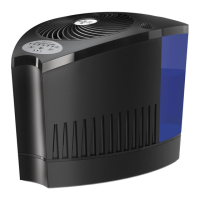

 To Next Page