12 13
™
Reticle Selection
The Anarch
™
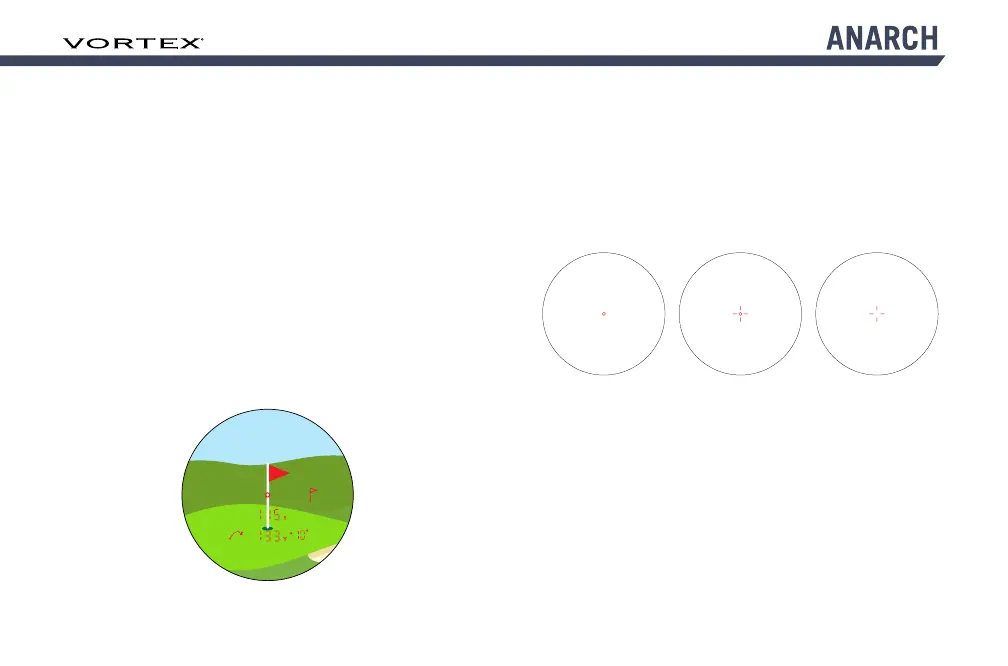
laser rangefinder offers three reticle
options. To change your reticle, toggle to the Reticle
screen in the Menu Settings. Press the “Measure” button
to toggle between Circle, Circle Crosshair, or Crosshair
reticle options. Press the “Menu” button to save your
desired choice.
Choose between Circle, Circle Crosshair, or Crosshair reticles.
Pinspotter
™
Mode
The Anarch
™
laser rangefinder comes equipped with
PinSpotter
™
Mode which provides visual and vibratory
feedback to confirm when a flag has been ranged. If the
rangefinder has detected multiple objects, such as the
flag and the trees behind the flag, the rangefinder will
display the closest object’s range, which is typically the
flag. It will also vibrate and show the flag symbol. To
turn PinSpotter
™
Mode on, toggle to “PIN” in the Menu
Settings. Press the “Measure” button to toggle on. The
rangefinder will now vibrate three times and a flag symbol
will flash in the display three times and then remain
illuminated when a flag has been ranged. The flag symbol
will remain on the screen until another range is taken or
the laser rangefinder is powered off.



 To Next Page