16
The slope incline number can be entered into ballistic programs
or field cards to help calculate precise bullet drop in mountainous
terrain. This number is automatically calculated into the wind/drop
solution provided in the display and in the app. See Ballistics Manual
for more information about the ballistic information displayed.
Scan Feature
The Scan feature can be used to range moving targets, or help
range smaller targets on uniform backgrounds, and works in both
ranging and target modes. Once powered up, press and hold
the “Measure” button and scan back and forth, watching for
changes in the yardage number as the aiming circle moves across
target objects. The illuminated Scan icon display indicates Scan
Ranging is activated.
Wind Modes
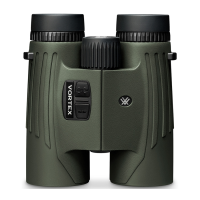
The Fury
®
HD 5000 AB is equipped with two Wind Modes: Full
Cross Wind Mode, and Vortex
®
patent pending Wind Bearing
Capture mode. See the Ballistics Manual for information about
the Wind Bearing Capture feature for more information about the
Wind Modes.
Tripod Use for Ranging
Using a tripod to steady the Fury
®
HD 5000 AB will greatly increase
your ability to range small targets at longer distances. To use on a
tripod, you will need to use a binocular tripod adapter. The reticle
may appear tilted depending on tripod level.



 To Next Page