4 5
FURY
®
HD 5000 AB
Power Up
To power up the Fury
®
HD 5000 AB, and prepare for ranging,
press and release the “Measure” button. The HCD or BAL ranging
screen will display. The unit will power down automatically after 15
seconds of non-use. The auto shutoff feature can be adjusted to 30,
60, or 180 seconds. See the “Sleep Time” section on page 9.
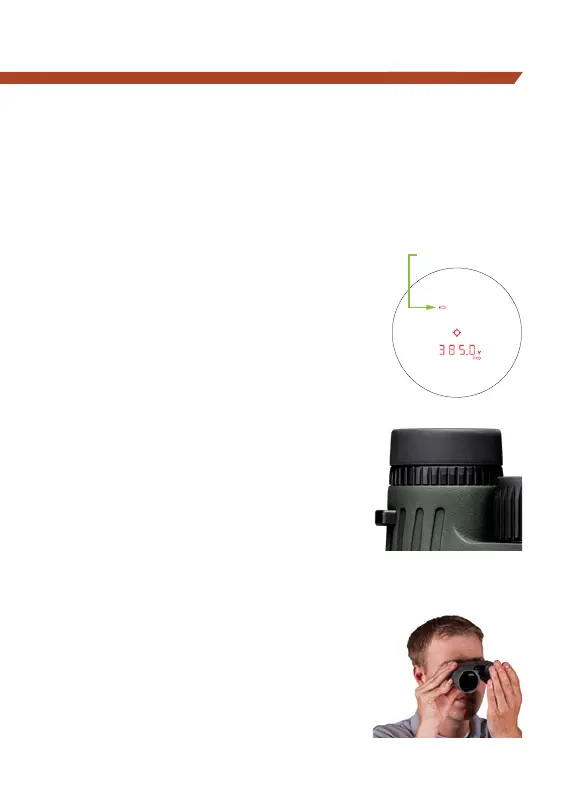
Low Battery Icon
The low battery icon comes on at 25%
and stays on until there is no power or
the battery is replaced.
Properly Focus the Binocular
For the best views, follow this process
to properly set the display, center focus,
and diopter. Choose an object that is
about 20 yards away from you and
stay in the same spot until you have
adjusted the binocular for your eyes.
1. Begin by pressing the “Measure”
button once to turn on the display.
Close your left eye or cover the left
objective lens with your hand, and
use the reticle focus ring to bring
the digital display into focus.
2. With your left eye still closed, or
the left objective lens still covered,
adjust the center focus ring to bring
the scene into focus.
LOW BATTERY
Adjust Diopter Setting



 To Next Page