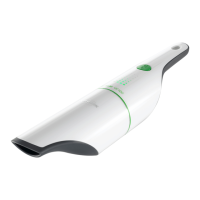
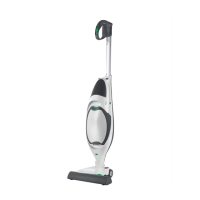
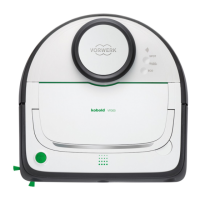
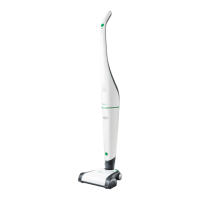
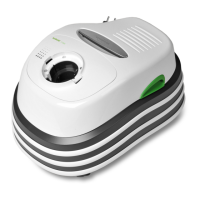
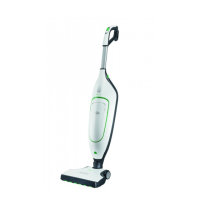
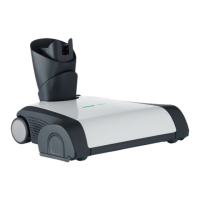
The Kobold VC100 is a handheld vacuum cleaner designed for household and domestic use, offering convenient and efficient cleaning. This device is part of the Kobold product line by Vorwerk, known for its focus on product safety and user-friendly design.
Function Description
The primary function of the Kobold VC100 is to vacuum dry dirt and dust from various surfaces within the home. It operates as a cordless device, powered by an integrated lithium-ion battery, which allows for freedom of movement without being tethered to a power outlet. The vacuum cleaner features a dust chamber where collected debris is stored, and a filter unit that ensures efficient air filtration before air is expelled through the air outlet.
The device is equipped with a green button for activation and deactivation, making it straightforward to operate. It also includes a "Boost function" for situations requiring increased suction power, which can be activated by holding down the green button. A function indicator provides visual feedback on the device's status, such as whether it's charging, in normal operation, or if a fault has occurred.
Charging the VC100 is flexible. It can be placed onto a dedicated charging unit, which can be mounted on a wall or positioned on a level surface. Alternatively, the handheld vacuum cleaner can be charged directly by plugging the mains charger cable into a jack on its handle. The charging unit is designed with a cable guide and aperture to manage the mains cable neatly.
Usage Features
Before first use, the handheld vacuum cleaner must be fully charged. The charging unit can be easily installed by fastening it to a wall with a screw, ensuring it's at least 50cm from the floor, or simply placed on a flat surface. Connecting the mains cable to the charging unit involves plugging it into a designated socket and routing it through the cable guide.
To charge the device, it must first be switched off. The mains charger is then connected to the power supply, and the vacuum cleaner is placed onto the charging unit. If direct cable charging is preferred, a release pin on the charging unit allows for the cable to be connected directly to the vacuum cleaner's handle.
The VC100 is designed for ease of use, with a simple on/off button. The function indicator helps users understand the device's current state:
- Off or finished charging: The indicator is off.
- Normal operation or boost function: The indicator is on.
- Please recharge: The indicator flashes briefly.
- Charging in progress: The indicator pulsates.
- Fault: The indicator flashes quickly.
For enhanced cleaning power, the boost function can be engaged by holding down the green button, and released to return to normal mode. The device can be stored on its charging unit, but for long periods of non-use, it is recommended to unplug the mains charger from the power socket.
Maintenance Features
Regular maintenance of the Kobold VC100 primarily involves cleaning the filter and emptying the dust chamber to ensure optimal performance. The process is designed to be user-friendly:
- Removing the dust chamber: Press the release key to detach the dust chamber from the main device.
- Emptying the dust chamber: Hold the dust chamber with the nozzle pointing downwards and empty its contents into a bin.
- Removing the filter unit: Press the release key again to remove the filter unit from the dust chamber.
- Cleaning the dust chamber: If necessary, the dust chamber can be wiped clean with a damp cloth. It must be allowed to dry completely before reassembly.
- Reinserting the filter unit: When placing the filter unit back, ensure that the indentation on its rim aligns with the release key on the dust chamber.
- Securing the filter unit: Hold down the release key and push the filter unit into the dust chamber until it is fully seated.
For disposal, the integrated lithium-ion batteries must be removed and taken to a battery collection center. This should only be done when the batteries are fully discharged, and they must not come into contact with metal. The manual provides instructions for removing the batteries, which involves detaching the vacuum cleaner from the charging unit, running it until it stops completely, removing the motor block, opening the device, removing screws, disconnecting wires, and finally taking out the batteries.
The Kobold VC100 is designed to be a reliable and easy-to-maintain cleaning tool for everyday household tasks.



 To Next Page

 General