S60
55
ENGLISH
PART NAMES AND FUNCTIONS
17. Search / Real-time Cutting and Extending Loop Function buttons
This search button allows you to quickly scan backwards through a track. This search button allows you to
quickly scan forwards through a track.
During the loop palyback, press the SEARCH button, the loop playing time is cut in half each time the button
is pressed. The loop can be cuted to 1/64 original loop length. Press the SEARCH button, the loop playing
time is doubled each time the button is pressed. The loop can be extended to 16X original loop length.
: The Cut Loop and Extend Loop functions ONLY temporary changed the loop length.
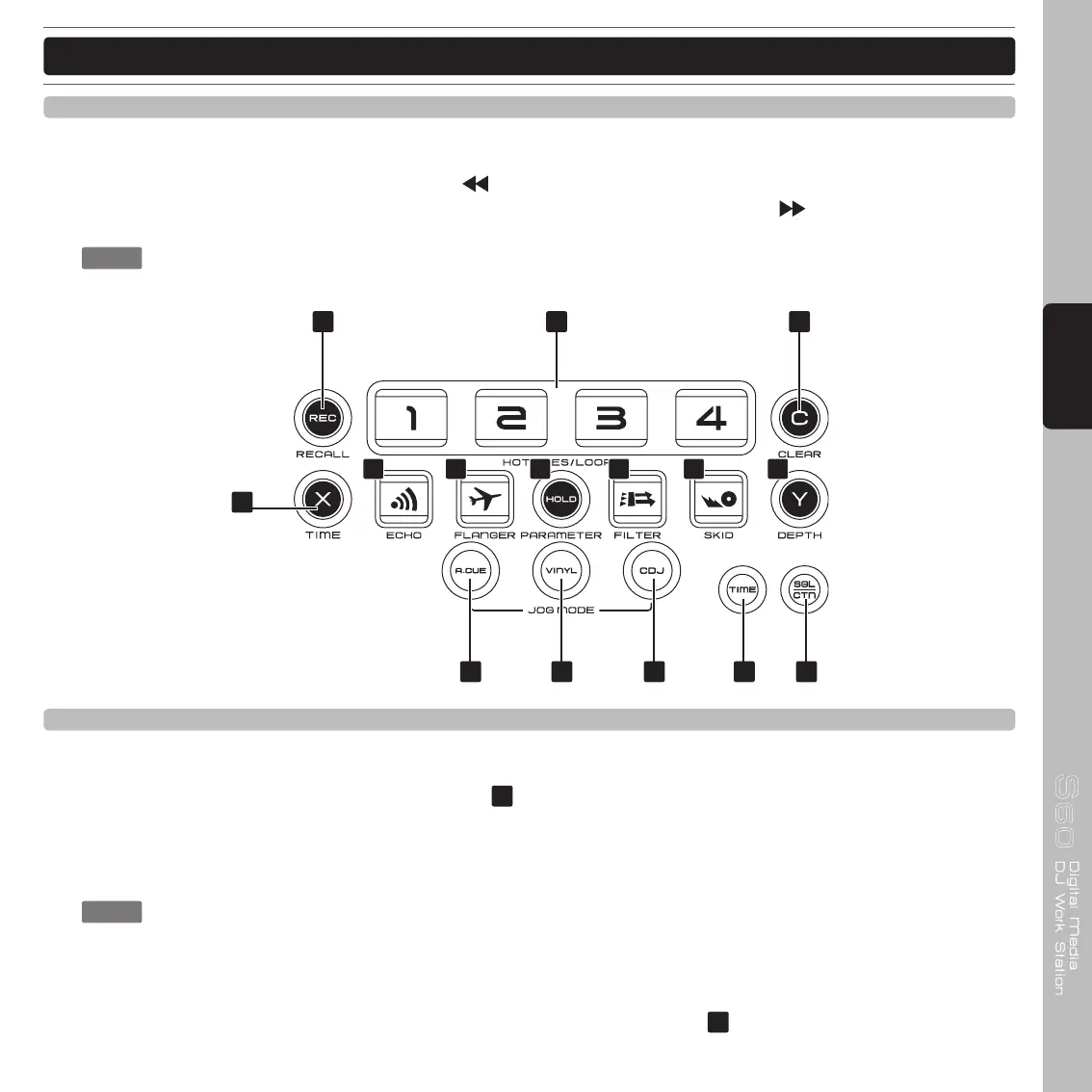
31 32302928
19 2018
21
22 23 24 25 26 27
18. Hot Cues/Loops Record and Recall button
This button can be used in couple of ways:
1) Press this button to activate the record mode, the button LED will glow when active. After the record mode
is activated, press your desired bank button
to store your Hot-cue point or playing loop. The bank pad
can also be overwritten in the same way.
2) To store your loops and hot-cue points saved in the BANKS to the USB memory for next time. Press the REC
button for 1 second and the button flashes.
: RECALL MEMORY: Every track can be stored 4 programmed cue points or loops. The memory
points in the USB device are depending on available memory space. These setting may be
recalled at any time, even when an audio source has been removed and loaded at a later time.
To recall the bank memory with USB device
Press the REC button , the button is lighted up, and turns the TRACK knob
to select the TRACK with BANKS
that you would like to recall.



 To Next Page