20
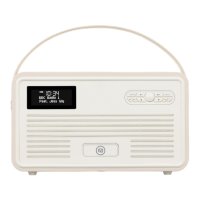
Turn On, Tune In and Enjoy Retro Mini Sound & Style
Positioning
A good place for your Retro Mini:
- has a at and stable surface with sufcient ventilation
- is within 1.4metres of a power socket if you are using mains power.
- has space above it for you to fully extend the telescopic aerial vertically.
- is away from bright sunlight, heat sources, humidity and dampness.
Preparing
- If using mains power: connect the mains power lead into the socket on the back of the radio (DC IN).
Switch the mains power wall socket off. Now plug the power adaptor into the wall socket, and switch the wall
socket on.
- If not using mains power, ensure new batteries are correctly tted. Your Retro Mini can be powered by four type
‘AA’ alkaline or rechargeable batteries (not supplied). When using batteries to power the unit, function and
operation are the same as using the mains, except that in standby mode, the LCD will shut down and can not
charge out for any device .
If operating on batteries, please switch off the mains adaptor and remove the mains power plug from the back of
the radio.
- Fully extend the radio aerial vertically for the best reception.
Switching on
- When switching on the unit, press and hold the Centre button.
What you will see when you switch on:
- “VQ” will be displayed for 2 seconds, followed by the clock. This is ‘standby’ mode.
- After 10 seconds the display backlight will switch off.
Leaving and entering standby mode
- Press and hold Centre button to switch between working and standby mode. In standby mode the
display shows a clock and date, in working mode the display shows information about the current
function.


 To Next Page